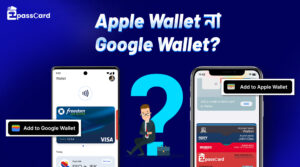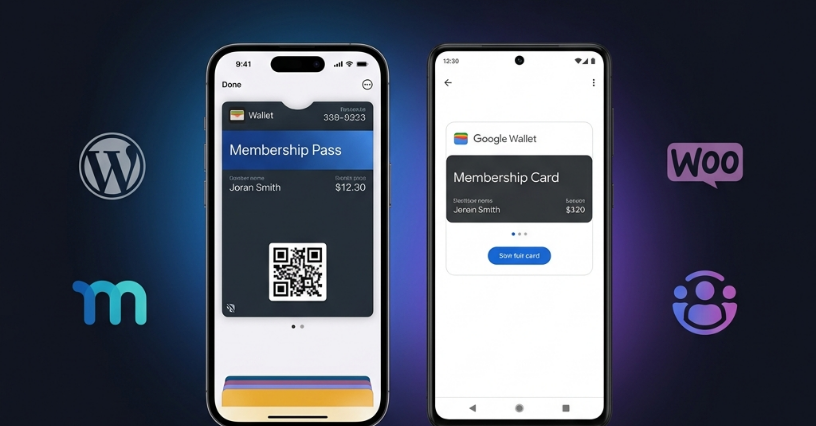
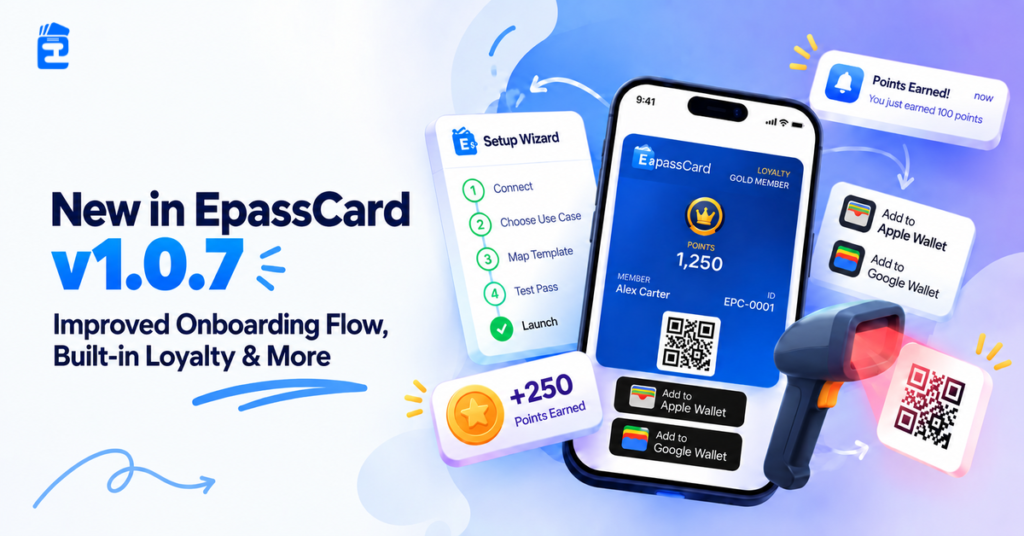
Big news is finally here for your organization: managing memberships, subscriptions, or ticket passes. We just rolled out EpassCard version 1.0.7 for everyone. Now you can add digital cards directly to Apple Wallet and Google Wallet. It is fast, fresh, and super simple to use.
EpassCard makes digital wallet passes simple for modern business owners. In the past, connecting customer data to phone wallets required messy code and custom tools. Many site owners gave up because the process was too hard.
That is why this update brings a guided onboarding flow. You also get a built-in loyalty system for WooCommerce. Now you can launch smart mobile passes in just minutes. So, let us explore!
Let’s Unpack What’s New in EpassCard v1.0.7
Great updates should make your daily store tasks feel simple and fun. That is why we packed version 1.0.7 with helpful new tools. Take a look at the best new features:
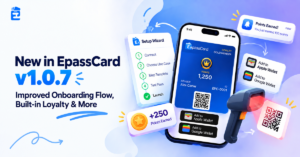
- Guided 5-step setup wizard for the smoothest onboarding flow.
- Built-in WooCommerce loyalty program to track customer loyalty points.
- Counter POS barcode scanner tools with live lock screen alerts.
- Broad compatibility across nine popular WordPress plugins.
- Real-time store card updates for every digital wallet pass.
- Improvements & minor bug fixes.
How Does the New EpassCard Onboarding Flow Work?
The new user onboarding flow is a guided setup wizard inside your WordPress admin. It helps you launch mobile passes in under five minutes. You can click Setup Wizard under EpassCard with zero code required.
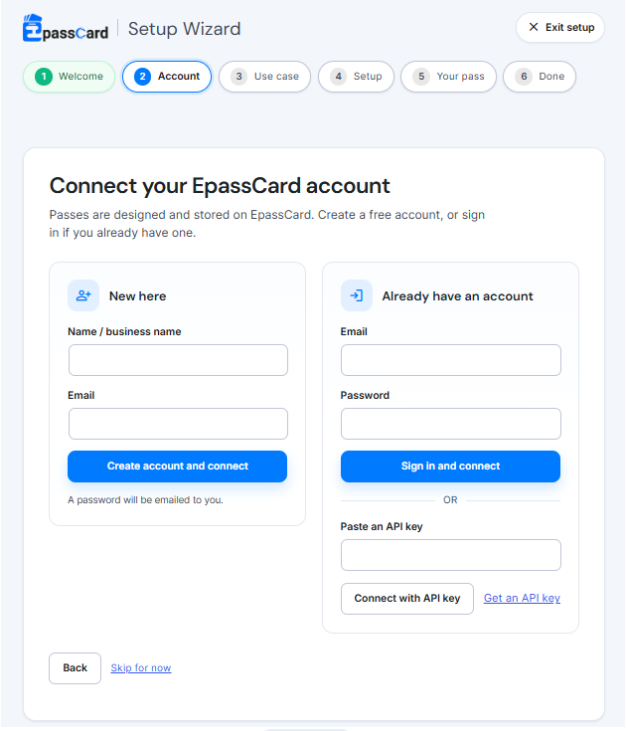
Step 1: First, install and activate the plugin. Then, connect your account to get started. You can paste an API key from your EpassCard cloud dashboard. New users can create a free account right here in one click.
Step 2: Choose your use case with smart checks. The wizard scans for tools like WooCommerce or The Events Calendar. Badges show if each plugin is installed, activated, or ready.
Step 3: Complete your pass template mapping. Pick a starter template or choose a custom cloud design with ease. The wizard stops errors if an event or product is missing from WordPress.
Step 4: Verify your test pass right on your phone. Upload a 200×200 px logo and a wide 1125×432 px StoreCard banner. Scan the sample LYL-DEMO-001 QR code directly on your mobile screen.
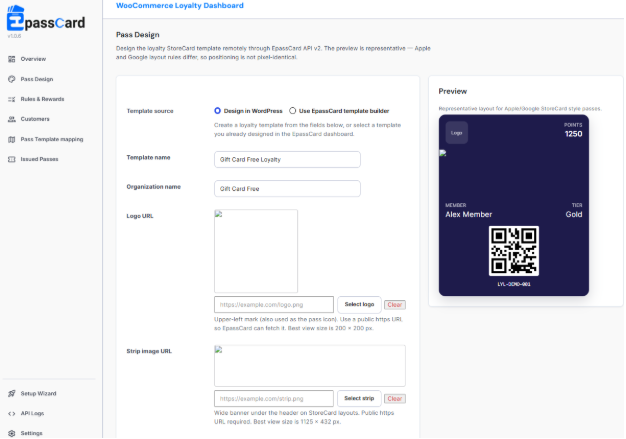
Step 5: Launch your passes to the world. Add your Apple Wallet pass or Google Wallet pass right away. Your setup is now complete and ready for every real customer.
Introducing Built-in WooCommerce Loyalty Program in EpassCard
EpassCard now gives you a complete WooCommerce loyalty program inside your store; you can ditch the loyalty reward plugin now. It uses an immutable database ledger to protect every customer point. You never need heavy extra plugins to reward your shoppers.
- Smart Earning Rules and VIP Tiers: Set priority earning rules like welcome points or one point for every dollar spent. Tiers like Bronze, Silver, Gold, and Platinum use lifetime points earned. Customers keep their VIP rank even after they spend points.
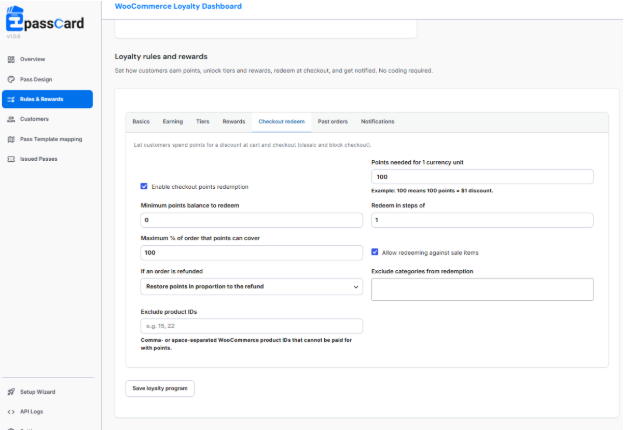
- Checkout Points Redemption and Backfill: Buyers can use points for checkout redemption on classic or WooCommerce Block checkouts. The default rate gives a one-dollar discount for every one hundred points. A smart backfill tool credits past completed orders in batches of 25 orders.
- In-Store Staff Barcode Lookup: Cashiers can use the staff barcode lookup tool at physical store checkout counters. Passes show a non-secret membership ID like EPC-0000000001 for safety. Your team checks live balances on the server with zero data leaks.
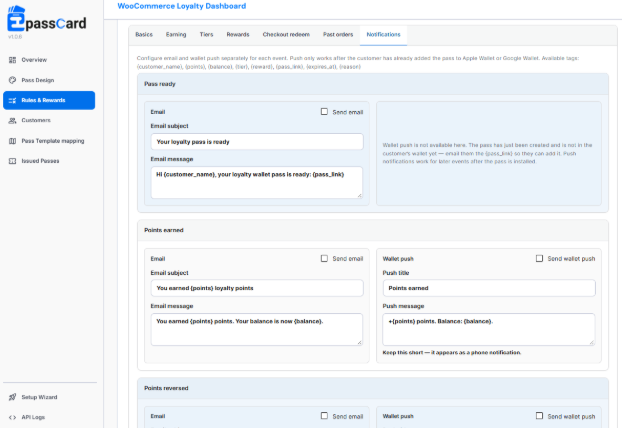
- Automated Lock Screen Notifications: Direct hooks to Apple Push Notification service and Google Wallet send real-time alerts. Shoppers receive lock screen notifications for points earned, point adjustments, and tier updates. An automated WP-Cron task sends friendly reminders thirty days before points expire.
9 WordPress Plugins That Work with EpassCard for Effortless Pass Management
Our built-in loyalty program is just one part of the story. EpassCard also connects directly with nine popular WordPress plugins for your site. You can issue an Apple Wallet pass or a Google Wallet pass for memberships, events, and gifts.
| Feature Category | Compatible WordPress Plugins | Digital Wallet Pass Output |
|---|---|---|
| Membership Cards | MemberPress, Paid Memberships Pro, Simple Membership, Ultimate Membership Pro | Digital membership card |
| Subscription Passes | WooCommerce Subscriptions | Dynamic renewal pass |
| Event Tickets | The Events Calendar, Events Manager | Scannable check-in pass |
| Digital Gift Cards | PW WooCommerce Gift Cards, YITH WooCommerce Gift Cards | Live store credit card |
Connect EpassCard to WordPress and Launch Your Passes
EpassCard is completely free to download from the official WordPress plugin directory. It runs smoothly on WordPress 7.1, PHP 8.1 to 8.3, and WooCommerce HPOS. Your store gets reliable performance from day one.
Install the free plugin and follow our simple user onboarding flow in your dashboard. Connect under EpassCard Connection to claim your five free passes right now. Start issuing every modern digital wallet pass in minutes.
Watch the video guide below, or explore our detailed plugin documentation to see step-by-step setup instructions.
Stay up to date with practical WooCommerce tips, product updates, and upcoming offers by subscribing to our newsletter. You can also join our community or follow Epasscard on Facebook and LinkedIn for more eCommerce insights.
Frequently Asked Questions
No, you do not need an account before you begin. The setup wizard lets you create a free account right inside your WordPress admin. One click safely connects your website without any manual API keys.
VIP tiers use lifetime points earned over time, not current spendable points. This means buyers always keep their special rank. Customers never drop to a lower level after they redeem points for checkout discounts.
Yes, the loyalty engine works on both classic checkouts and modern WooCommerce Block checkouts. Shoppers pick how many points to spend right on the screen. The cart automatically applies the discount to their total bill.
Pass barcodes only hold a secure membership ID like EPC-0000000001 for customer safety. Store staff check the live point balance on the secure server. This protects your shop from fake cards and prevents point fraud.
No, customers do not need to download or install any extra apps. Digital passes live natively inside Apple Wallet and Google Wallet on their phones. Shoppers get fast lock screen alerts for points and rewards automatically.