

Digital student cards for language schools and training centers
A digital student card for language schools and training centers in Apple Wallet and Google Wallet. Expires with the course; logs session attendance.
Updated October 2026
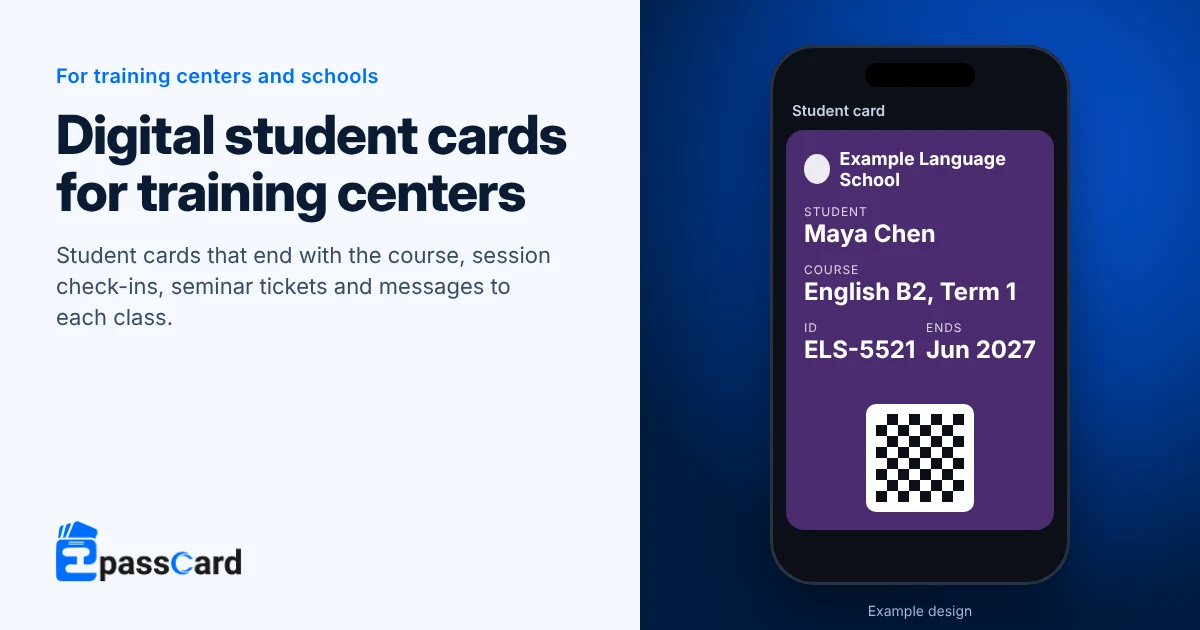
A digital student card for language schools is a student ID that lives in Apple Wallet or Google Wallet. With EpassCard, you issue cards for each new class from a spreadsheet. Reception scans the barcode, the card expires when the course ends, and a check-in card can log attendance at each session.
Key takeaways
- Students add the card from an email link on the first day of class. Nobody prints or collects plastic cards.
- Each card carries its own end date, so it expires when that student’s course ends.
- An event stamp card logs up to 10 named sessions, which suits short courses and workshops.
- It is a barcode card for schools without campus card readers, not Apple’s tap-to-pay student ID.
- The Free plan covers 50 students; Growth is $39 a month for 1,000 (as of October 2026).
Which passes does a training center need?
Most schools need a student card, and many add a check-in card for attendance. Each pass is a template designed once for both wallets.
| Pass | What it does for a school |
|---|---|
| Student card (from the Membership card preset; Google lists membership and library cards among generic pass uses) | Name, student ID, course and end date. Reception scans it; it grays out when the course ends. |
| Event stamp card | Up to 10 named sessions, each with an optional time window. With fast scan, a repeat scan shows amber. |
| Event ticket | Open days, seminars and graduation, issued from a sign-up form or a list. |
| Coupon | A one-time offer, such as a discount on the next course. |
Is this the same as Apple’s student ID in Wallet?
No. Apple’s student ID is a tap-to-use card for participating colleges and universities, added from the school’s own app (Apple Support). It works at readers on campus.
EpassCard is a barcode card for schools that do not have that set-up, such as language schools, test-prep centers and training providers. Staff scan it with a free app or a phone browser. It does not open doors or pay at a café by tap.
How does a student card work from enrollment to course end?
The same card proves enrollment, logs attendance and carries class messages.
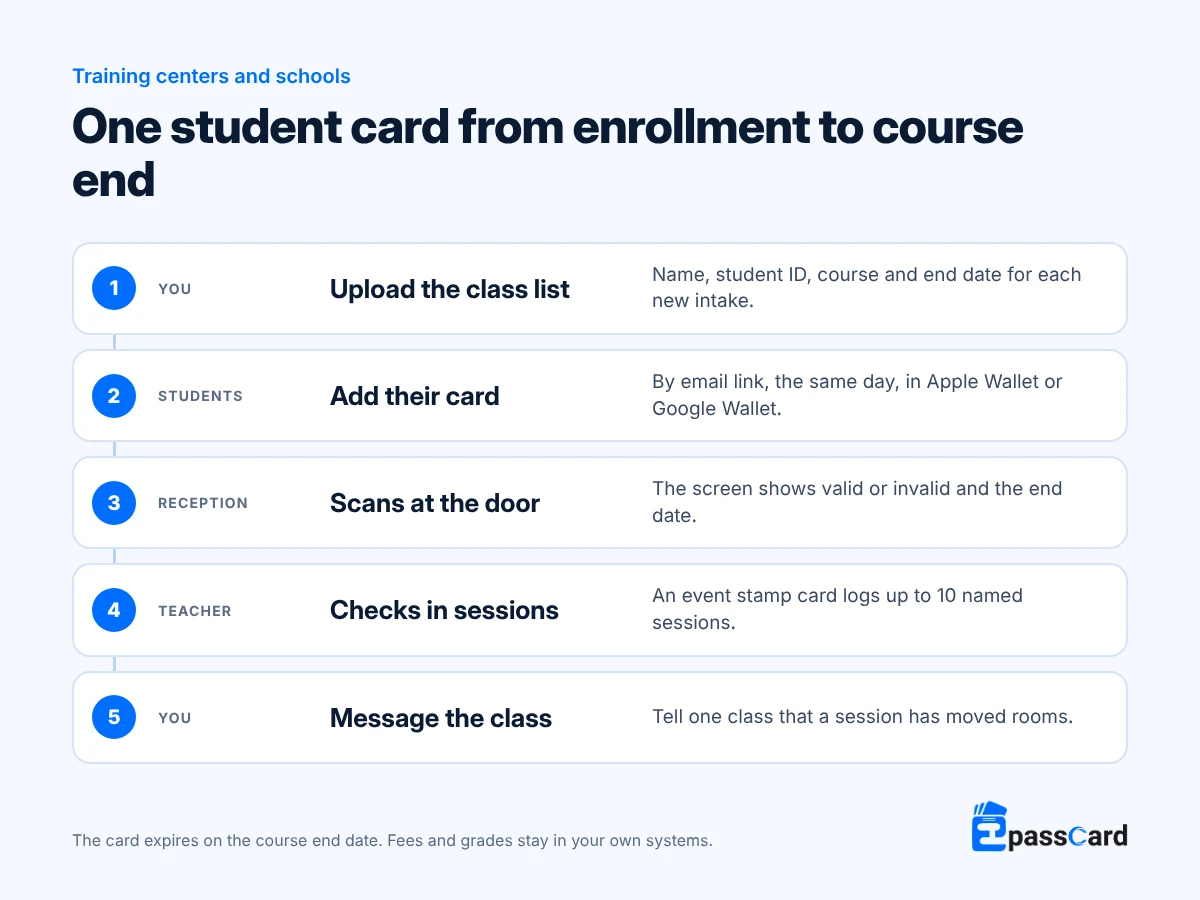
When a student moves class or extends their course, change the card and it updates on their phone, usually within about a minute. A message reaches everyone holding cards from one template, so give each class its own template if you message classes separately. Templates count toward your plan’s limit, so check it before you set up many classes.
Messages reach only students who added the card, and they can remove it at any time. If students are under 18, collect only the fields you need and follow your consent rules for minors’ data. Google Wallet alerts a phone for no more than 3 messages per card each day.
Example: how a language school in Madrid would set it up
Illustrative scenario, not a customer. A language school starts new intakes every month. Printed ID cards arrive a week after class starts, and room changes are sent by phone.
- Each intake is uploaded as a spreadsheet, and every student gets a card by email with their course end date.
- Reception scans cards at the door and sees valid or invalid.
- A 10-session exam-prep course uses an event stamp card, one named stamp per class, so teachers see who attended.
- A free study-abroad seminar is issued as an event ticket from a sign-up form on the school’s website.
Example: how a training provider in Toronto would set it up
Illustrative scenario, not a customer. A company runs two-day professional courses for adults across several hotel venues.
- Each course is a template, and attendees get a card listing the course, venue and dates.
- Trainers check people in each morning and afternoon with fast scan on an event stamp card, which flags repeat scans.
- A partner bookshop checks student status on the provider’s verify page before giving a discount.
How do you set up a digital student card for language schools?
- Create a free account at app.epasscard.com.
- Build a student card from the Membership preset with your logo, student ID, course and end date.
- Set the expiry to a date per pass, so each student’s course end prints on the back.
- Upload a class list, map the columns and run the bulk job with email delivery on.
- For attendance, create an event stamp card with one named stamp per session and assign teachers to it.
What does it cost?
You pay by plan, based on the total number of live passes you hold at once. Push messages, the scanner app and API access are included on every plan.
| Plan | Live passes | Templates | Monthly | Yearly |
|---|---|---|---|---|
| Free | 50 | 3 | $0 | $0 |
| Starter | 250 | 5 | $19 | $156 |
| Growth | 1,000 | 10 | $39 | $324 |
| Business | 5,000 | 25 | $65 | $540 |
Prices from the EpassCard pricing page as of October 2026.
For example, a school with 400 current students, each holding a student card and a check-in card, holds 800 live passes. Six classes with their own templates need 7 or 8 templates in all. That fits Growth at $324 a year on yearly billing.
What it does not do
- It is not a learning, timetable or fee system; keep your current tools.
- It does not open doors or pay by tap; staff scan the barcode.
- Attendance tracking covers up to 10 named sessions per event stamp card.
- The app interface is in English only.
- Student cards on Android show as demo cards until the school completes Google’s one-time verification.
FAQ
Can partner shops check that someone is a student?
Yes. Turn on the verify page and embed it on your website, with a password if you prefer. A partner opens it in a phone browser and sees the student’s name, whether the card is valid, and its expiry. No contact details are shown.
Can I track attendance with it?
Yes, for courses of up to 10 sessions. Create an event stamp card with one named stamp per session and an optional time window. Teachers scan each student, and every check-in is logged. With fast scan, a repeat scan shows amber so nobody is counted twice.
What happens when a course ends?
Each card carries its own end date. On that date the card grays out in Apple Wallet, shows as expired in Google Wallet, and the barcode stops working. If a student extends, change the date and the same card keeps working.
Can a digital card replace a plastic student ID?
For schools that check IDs by sight or by scanning, yes. The card shows the student’s name, ID and course, and reception scans the barcode. Tap-to-open doors need their own system. A door reader that scans QR codes could check cards through the API with a developer’s help.
Can I message one class at a time?
Yes, if each class has its own template. Messages go to everyone holding cards from one template, so a class template lets you reach just that group. Templates count toward your plan, from 3 on the Free plan to 25 on Business.
Start with your next class free
Issue cards for up to 50 students on the Free plan, with no credit card needed. Start free, or book a demo for a larger school.