

Event tickets in Apple Wallet and Google Wallet for organizers
Add tickets to Apple Wallet and Google Wallet for your attendees. Bulk issue from a CSV, check people in with fast scan, message everyone on the day.
Updated October 2026
To add tickets to Apple Wallet for event organizers, you need a service that issues wallet passes from your attendee list. With EpassCard, each attendee gets a ticket in Apple Wallet or Google Wallet by email or link. Gate staff scan it with a free app. With fast scan on an event stamp card, a repeat scan shows amber.
Key takeaways
- Attendees add the ticket from an email, a text link or your event’s sign-up form. They install no app.
- You can issue tickets in bulk from an attendee CSV, or connect your ticketing system through the API.
- Fast scan on an event stamp card makes one scan one check-in, and a repeat scan shows amber.
- You can message every ticket holder on the day, such as a room change.
- The Free plan covers 50 tickets; Growth is $39 a month for 1,000 (as of October 2026).
Which passes does an event need?
Most events need a ticket; conferences and workshops add a check-in card for sessions. Each pass is a template designed once for both wallets.
| Pass | What it does at an event |
|---|---|
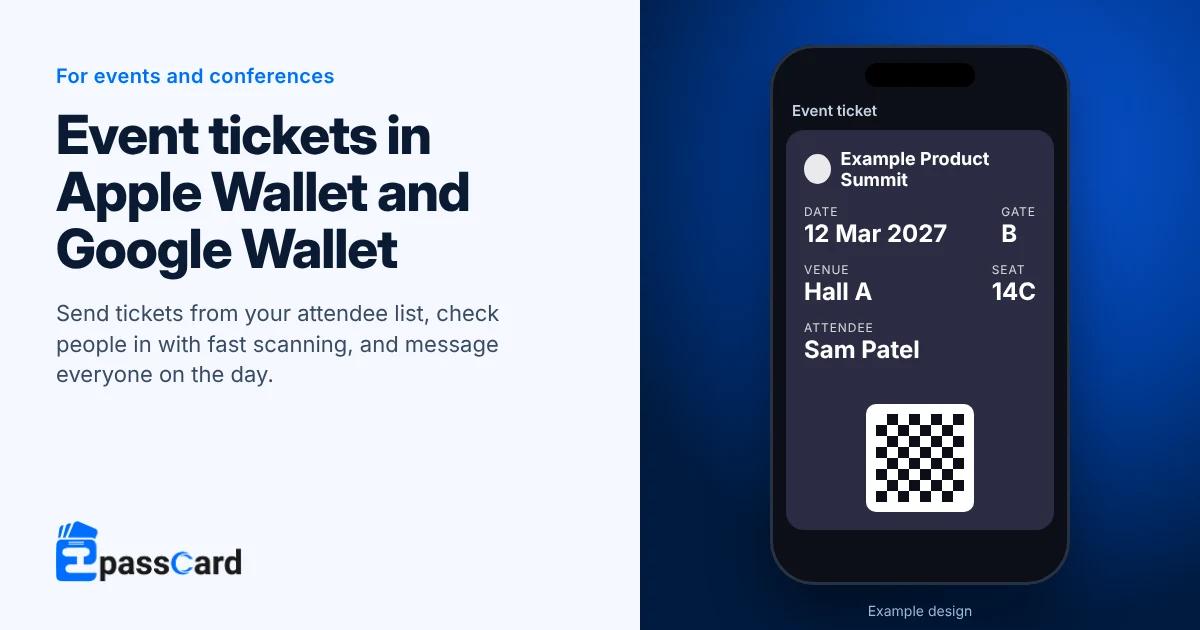
| Event ticket | Event name, date, venue, gate and fields you add, such as seat. Can expire the day after the event. |
| Event stamp card with fast scan | 1 to 10 named check-ins (entry, lunch, workshop), each with an optional time window. |
| Business card (V Card) | Cards for speakers and staff, shared by QR code. |
| Coupon | A one-time food, drink or merchandise voucher, used up once claimed. |
How does wallet check-in work at the gate?
A plain ticket proves who someone is. For entry and session counts, pair it with an event stamp card and fast scan. Apple’s Wallet pass format also supports event tickets natively (Apple Developer: Wallet Passes).
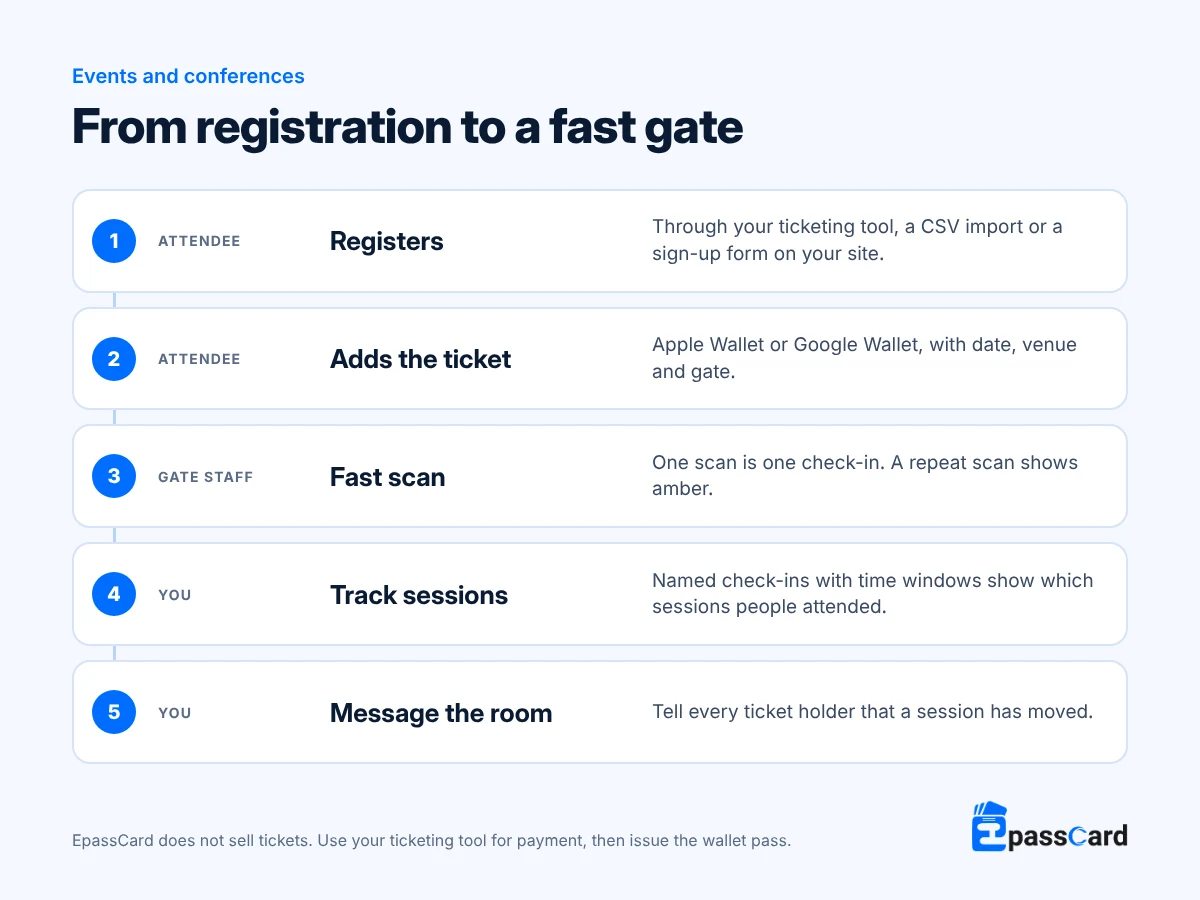
In fast scan, one scan adds one check-in with no confirm step. The scanner shows green for checked in, amber for a repeat and red for refused. Only staff assigned to that event can scan its cards. Every scan is logged, so you can count attendance by session afterwards.
Messages reach everyone holding the ticket, such as “Session 2 has moved to Hall B”. Attendees chose to add the ticket and can remove it, so follow consent and privacy rules for anything promotional. Google Wallet allows 3 alert-triggering messages per pass in 24 hours (Google Wallet event tickets).
Example: how a tech conference in Berlin would set it up
Illustrative scenario, not a customer. A two-day conference sells 1,200 tickets through its ticketing platform and checks people in from printed lists.
- The organizer exports attendees as a CSV and issues every ticket in one bulk job, with an email to each attendee.
- Each attendee also gets an event stamp card with stamps for day 1, day 2 and four workshops.
- Volunteers at the doors use fast scan on their own phones; repeat scans show amber.
- Speakers share business cards by QR code from the stage.
- When a keynote moves rooms, one message goes to every ticket holder.
Example: how a university career fair in Nairobi would set it up
Illustrative scenario, not a customer. A career fair registers students through a form and wants to know which employer talks were full.
- Registration moves to the EpassCard sign-up form on the fair’s web page, so each student gets a ticket straight after submitting it.
- The ticket expires the day after the fair.
- Each employer talk is a named stamp with its own time window, so organizers see attendance per talk.
Does it work with your ticketing platform?
Yes, alongside it. EpassCard does not sell tickets or take payment, so your ticketing tool stays in charge of sales.
- CSV: export attendees from your ticketing tool and issue wallet tickets in bulk.
- API and webhooks: a developer can issue a ticket for each new booking and update or expire it. Webhooks report when a ticket is added to or removed from a wallet. See the developer API.
- WordPress: if your event site runs Events Manager or The Events Calendar, the free EpassCard plugin issues tickets from your events.
There is no ready-made connector for Eventbrite or similar platforms.
How do you add tickets to Apple Wallet for event organizers?
- Create a free account at app.epasscard.com.
- Build a ticket from the Event ticket preset with your event image, date, venue and gate.
- Set the expiry to the day after the event.
- Issue tickets from your attendee CSV, or embed the sign-up form on your event page.
- For entry, create an event stamp card, assign gate staff to the event, and test fast scan on three phones.
What does it cost?
Choose the plan by how many live passes you hold at once, counting tickets and check-in cards.
| Plan | Live passes | Monthly | Yearly |
|---|---|---|---|
| Free | 50 | $0 | $0 |
| Growth | 1,000 | $39 | $324 |
| Business | 5,000 | $65 | $540 |
| Scale | 25,000 | $229 | $1,920 |
| Scale+ | 50,000 | $399 | $3,348 |
Prices from the EpassCard pricing page as of October 2026.
For example, a 1,200-person conference with a ticket and a check-in card for each attendee holds 2,400 live passes. That fits Business at $65 for the month of the event. You can upgrade or downgrade from the Billing page at any time.
What it does not do
- It does not sell tickets, assign seats or take payment.
- A plain event ticket has no “check in once” button; use fast scan on an event stamp card.
- Fast scan works on event stamp cards only, and staff must be on that event’s team.
- It does not issue Apple’s poster-style event tickets.
- Google Wallet tickets show in demo mode until the organizer passes Google’s one-time verification.
FAQ
Can I add tickets to Apple Wallet without selling them through Eventbrite?
Yes. EpassCard issues wallet tickets from any attendee list, whether it comes from your ticketing tool, a spreadsheet or the sign-up form on your website. Payment stays wherever you sell tickets today, and attendees receive an Apple Wallet or Google Wallet ticket by email or link.
How do attendees check in with a wallet ticket?
They open the ticket on their phone and show the barcode. Gate staff scan it with the free EpassCard scanner app or a phone browser. With fast scan on an event stamp card, each scan records one check-in without a confirm step, so lines move quickly.
What happens if someone scans the same ticket twice?
If you check people in with fast scan on an event stamp card, a second scan shows amber. The staff member can then stop the entry. A refused or invalid card shows red. Every scan is logged with the staff member and time, so you can review entries afterwards.
Can one ticket cover several conference sessions?
Yes, through an event stamp card that sits alongside the ticket. Create up to 10 named stamps, one per day or session, each with an optional time window. Staff scan at each room, and you see how many people attended every session.
How many messages can I send ticket holders?
You can send as many as you need from EpassCard, to everyone holding the ticket or to one person. Google Wallet shows a phone alert for up to 3 messages per pass in any 24 hours, so save urgent changes for the event day.
Start with 50 tickets free
Test wallet tickets and fast scan with a small session on the Free plan, with no credit card needed. Start free, or book a demo for a large event.