

Digital employee ID cards and team business cards
A digital employee ID card in Apple Wallet and Google Wallet with PIN protection, plus team business cards that update everywhere. Start free with 50.
Updated October 2026
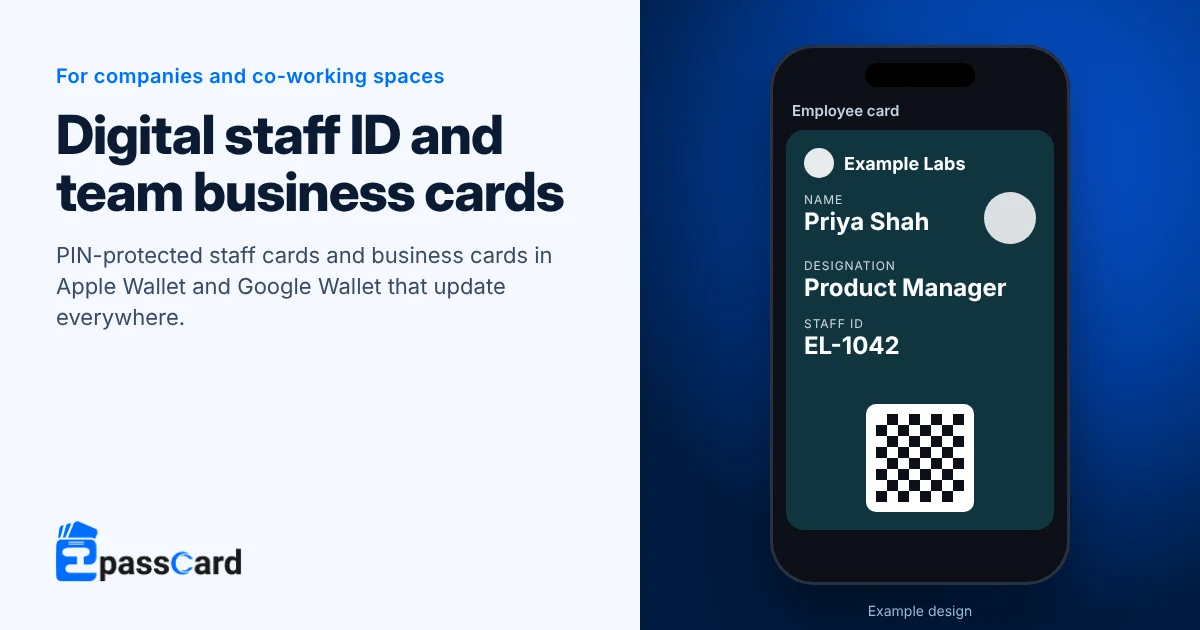
A digital employee ID card is a staff card in Apple Wallet or Google Wallet, with a photo, name, role and barcode. With EpassCard, HR issues cards from a staff list, and a PIN makes sure the right employee adds theirs first. The same account runs team business cards and co-working member passes.
Key takeaways
- HR issues every card from a spreadsheet. Each employee enters a 6-digit PIN, sent by email or by SMS through your gateway, before adding theirs.
- The card owner is told if a copy is added somewhere else, and HR can deactivate a card when someone leaves.
- Team business cards update for everyone who saved them when a title or number changes.
- It is a barcode card checked by scanning, not Apple’s tap-to-open employee badge.
- The Free plan covers 50 live passes; Growth is $39 a month for 1,000 (as of October 2026).
Which cards does a company or co-working space need?
Most companies start with the staff ID and add business cards for client-facing teams. Co-working spaces add member cards and day passes.
| Card | What it does |
|---|---|
| Employee card | Photo, name, phone, email, company, designation and custom fields such as department. A barcode for reception or attendance checks. Google Wallet treats it as a generic pass (Google Wallet developer docs). |
| Owner protection | The employee enters a 6-digit PIN by email or SMS before the card can be added. |
| Business card (V Card) | Three layouts, an optional AI-written bio, wallet buttons and a QR code. Edits update everyone who saved it. |
| Membership card | For co-working members: plan and renewal date, checked at reception. |
| Coupon | A one-time day pass or guest pass. |
Is this the same as Apple’s employee badge in Wallet?
No. Apple’s employee badge is a tap-to-open credential. It needs a participating employer and the employer’s app, and works at the badge readers that accept it (Apple Support).
EpassCard is a barcode staff card for companies that check IDs at reception, on site visits or at events. Staff scan it with a free app or a phone browser. If your doors use tap readers, keep that system for doors and use EpassCard for the ID people show.
How does a protected staff card reach the right phone?
Owner protection makes the employee add the card first and tells them when anyone adds a copy.
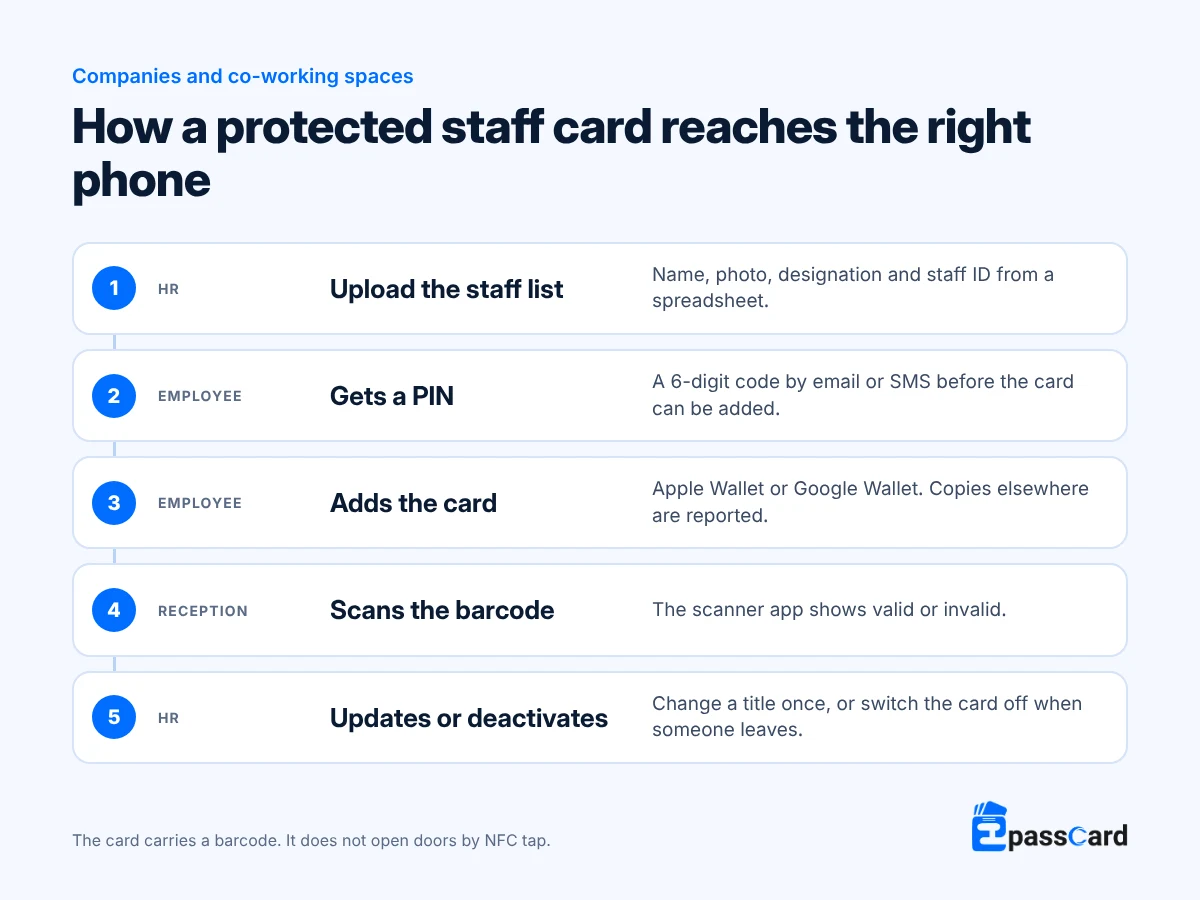
Only after the owner has added the card can anyone else add a copy, and the owner is told when that happens. If an employee changes phones, HR can revoke the owner binding so they can add the card again. When someone leaves, HR deactivates the card and it stops working in both wallets. The audit log records who changed what, and when, and keeps entries for 4 months by default.
Example: how a software company in Bangalore would set it up
Illustrative scenario, not a customer. A company with 150 staff reprints plastic IDs whenever someone joins or changes role. Its sales team hands out paper business cards at trade fairs.
- HR uploads the staff list and issues employee cards in bulk, with owner protection on.
- Reception scans the barcode for visitor-floor checks. Tap-to-open doors stay on the company’s access system.
- The sales team gets business cards in one company layout. When a number changes, every saved copy updates with a short message.
- When someone leaves, HR deactivates their ID card in one click.
Example: how a co-working space in Berlin would set it up
Illustrative scenario, not a customer. A co-working space with two floors wants members to stop asking reception for their membership details.
- Each member gets a membership card with their plan and renewal date.
- Day visitors get a one-time coupon pass, used up when reception scans it.
- Community events go out as event tickets to the same members.
- One message tells every member that the kitchen is closed for repairs on Friday. Members saved the card themselves and can delete it, and the space keeps marketing within its consent rules.
How do you set up digital employee ID cards?
- Create a free account at app.epasscard.com.
- Build an employee card with your logo, a photo field and the fields HR needs.
- Turn on owner protection and choose PIN delivery by email or SMS.
- Upload the staff list and run the bulk job.
- Set up business cards for teams in one layout, and give reception the scanner app with the verify permission.
What does it cost?
Plans are priced by the total number of live passes you hold at once. Each staff ID and each business card counts as one.
| Plan | Live passes | Monthly | Yearly |
|---|---|---|---|
| Free | 50 | $0 | $0 |
| Starter | 250 | $19 | $156 |
| Growth | 1,000 | $39 | $324 |
| Business | 5,000 | $65 | $540 |
Prices from the EpassCard pricing page as of October 2026.
For example, 150 staff with an ID card each, plus business cards for 60 of them, is 210 live passes. That fits Starter at $156 a year on yearly billing, about $1.04 per employee per year. Team roles and the audit log are included.
What it does not do
- It does not open doors by NFC tap. Door systems need their own credential or a developer connection to check cards.
- “Department” is a custom field you add.
- Business cards are saved to a wallet or opened as a web page; there is no download into phone contacts.
- There is no multi-client agency workspace; each company runs its own account.
- Staff cards on Android stay in Google’s demo mode until the company completes Google’s one-time verification.
FAQ
Can an employee ID card go in Apple Wallet and Google Wallet without an app?
Yes. Each employee gets a link by email or text. After entering the 6-digit PIN they receive, they add the card to Apple Wallet on an iPhone or Google Wallet on Android. They create no account, and the card carries your logo, their photo and their role.
Does a digital employee ID open office doors?
Not by tap. The card carries a barcode that reception, or a door system that reads QR codes, can scan. Checking validity at a door needs a developer connection. If your doors use tap readers, keep that access system and use EpassCard for the visible staff ID.
How do you stop employees sharing or copying their ID?
Turn on owner protection. The employee must enter a PIN sent to their own email or phone before the card can be added. A copy can be added elsewhere only after that, and the owner is told when it happens. HR can deactivate any card in one click.
What happens to a digital ID when an employee leaves?
HR deactivates the card in one click, and it stops working in Apple Wallet and Google Wallet. The audit log keeps a record of the change. If the person returns, the card can be reactivated, or HR can issue a new one with updated details.
Do digital business cards update after someone saves them?
Yes. Edit the card once, such as a new title or phone number. Everyone who saved it in their wallet sees the change with a short message. The QR code and short link stay the same, so printed materials keep working.
Start with 50 staff cards free
Set up an ID card and test it with one team on the Free plan, with no credit card needed. Start free, or book a demo for a company-wide roll-out.