

WooCommerce Apple Wallet plugin: add wallet passes for free
A WooCommerce Apple Wallet plugin turns store data into passes customers keep on their phones. The free EpassCard plugin issues Apple Wallet and Google Wallet passes from WordPress. You get a loyalty card with points and tiers, gift cards, membership cards and event tickets. It needs WordPress 6.5+, PHP 8.1+ and a free EpassCard account.
- Customers need no app. The pass goes into Apple Wallet on iPhone or Google Wallet on Android.
- One pass template makes both the Apple Wallet and the Google Wallet version.
- The plugin is free. The EpassCard Free plan covers 50 live passes with no payment card (as of Oct 2026).
- Passes update when points, balances or expiry dates change in your store.
What does a WooCommerce Apple Wallet plugin do?
It creates a card in the customer's phone wallet from something that happens in your store. An order earns points, a gift card is bought, a member signs up. The plugin sends that data to a pass service, and the customer gets a link to add the pass. The plugin emails the pass link automatically. Customers can also open their passes from the My Account area of your store (EpassCard plugin readme, as of Oct 2026). When the data changes later, the pass on the phone changes too.
Three different products show up when you search for this, so it helps to know which one you need:
| You want to… | What you need | Example |
|---|---|---|
| Put a loyalty card, gift card or ticket in Apple Wallet | A wallet pass plugin | EpassCard |
| Let shoppers pay with Apple Pay at checkout | A payment gateway | Your payment provider's WooCommerce plugin |
| Hold store credit inside your shop | A store-credit "wallet" plugin | Account funds plugins |
This guide is about the first one.
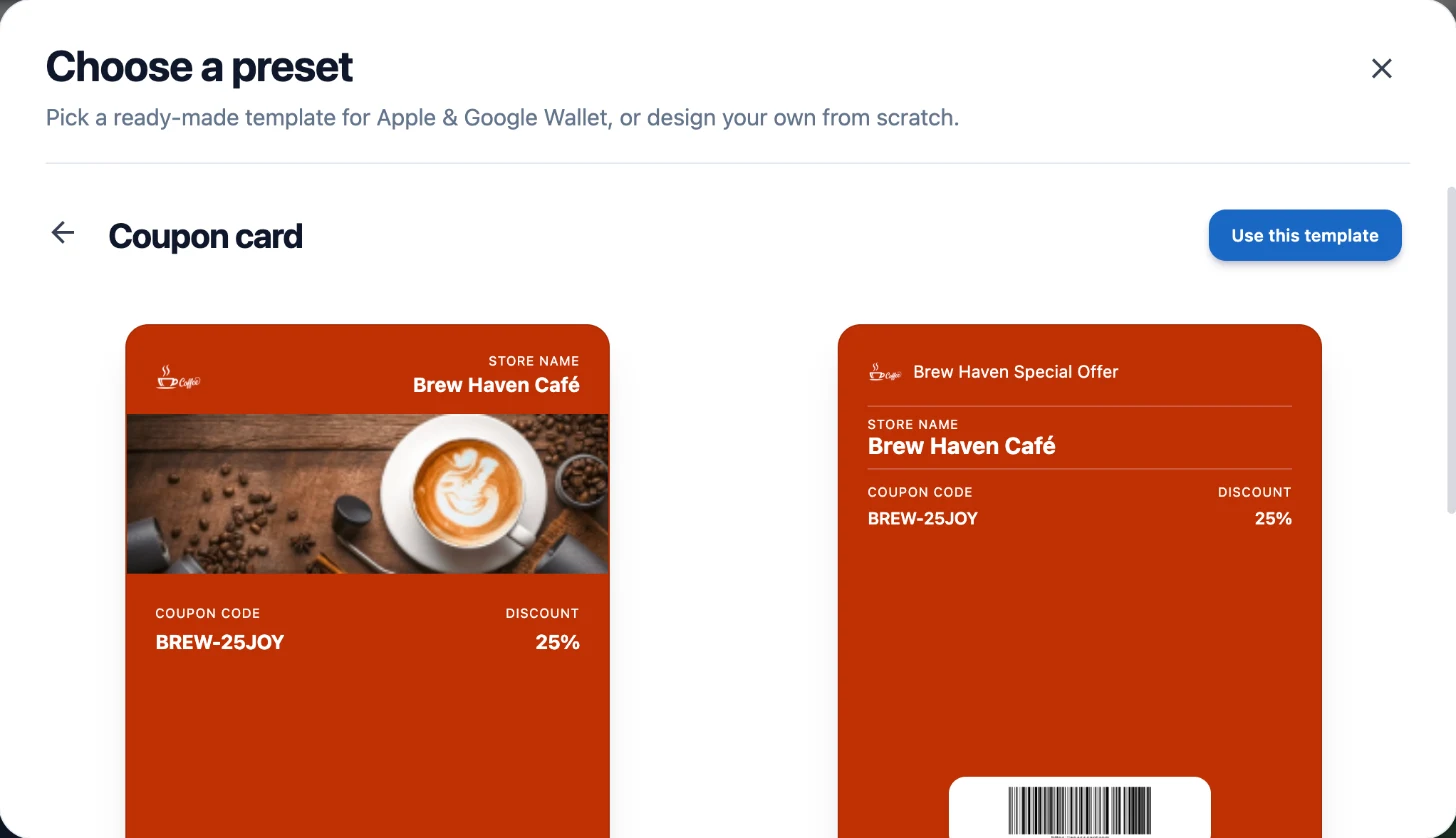
Each pass is built from a pass template in your EpassCard account. One template gives you both the Apple Wallet and the Google Wallet version.
Apple explains why it matters. Loyalty passes can show live points and balances. Together with lock screen alerts, Apple calls these updates "a powerful engagement tool" (Apple Developer, checked Oct 2026).
Which passes can the EpassCard plugin issue from WooCommerce?
The plugin covers loyalty and gift cards for WooCommerce, plus membership and event plugins that many WooCommerce sites also run. Each one maps to a pass template in your EpassCard account.
| WordPress plugin | Pass the customer gets | When the pass changes |
|---|---|---|
| WooCommerce (built-in loyalty) | Loyalty card with points and tier | Points or tier change |
| PW WooCommerce Gift Cards | Gift card | Balance changes |
| YITH WooCommerce Gift Cards | Gift card | Card is generated or used |
| MemberPress, Paid Memberships Pro, Ultimate Membership Pro, Simple Membership | Membership card | Sign-up, renewal, level change, expiry |
| The Events Calendar, Events Manager | Event ticket | Ticket issued to each attendee (The Events Calendar); booking approved or status changes (Events Manager) |
You turn on only the integrations you use. If your store runs none of the membership or event plugins, you can still use the loyalty program on its own.
How do you install the plugin and run the setup wizard?
You install it like any WordPress plugin, connect an EpassCard account, then let the setup wizard build your first pass. Plan on testing with your own phone before any customer sees a pass.
- In WordPress, go to Plugins → Add New Plugin, search for EpassCard, then install and activate it. You can also get it from the EpassCard listing on WordPress.org.
- Open EpassCard → Connection. Connect an existing account with your API key, or create a free account in one click.
- Follow the five-step setup wizard. Pick your use case, then click Create pass design for me. The plugin builds a ready-made pass template in your account. It also maps that design to every plan, event or product that has no mapping yet, and it never changes existing mappings. You can change the logo, strip image, colors, field labels and barcode with a live preview.
- Open Connection → Integrations and turn on the modules you need. Then check the mappings, or map any item to a different pass template. The mapping window flags missing required fields.
- Test the pass on an iPhone and an Android phone. Then finish Google's one-time approval before you launch to Android customers.
Apple Wallet works right away. Google Wallet passes stay in demo mode until you add a payment method and complete business verification in Google's Pay and Wallet Console. Demo mode only works on your own Google account. Our guide on moving Google Wallet passes from demo mode to live covers that step.
Running a membership plugin with existing members? Use the Create passes for existing members button on each mapped plan. It issues passes for people who joined before you set up the mapping. The plugin documentation has each screen in detail.
How does the WooCommerce loyalty card work?
The loyalty program is built into the plugin, so you do not need a separate points plugin. Customers earn points on orders, based on the earning rules you set. They move up tiers you define and earn milestone rewards. The setup wizard starts you with sample Bronze, Silver and Gold tiers. Rewards can be bonus points, coupons, free shipping or a free product. The card in their wallet shows the current points and updates when they change. After checkout, the order thank-you page shows the points earned. A refund takes back points in proportion to the amount refunded. A cancelled order loses all the points it earned. Rewards that are no longer earned are withdrawn.
Customers spend points in two ways. They can claim coupon rewards, or redeem points at checkout under Loyalty points. Points redemption works in both the classic and the block checkout. The card can also send wallet pushes. They go out when points are earned or about to expire, when a customer reaches a new tier and when a reward is ready. For new programs, gift card purchases do not earn points.
One thing works differently here. The loyalty card does not get the one-click starter design. You design it on its own Pass Design screen instead. Our WooCommerce loyalty program page shows the earning rules, tiers and rewards step by step. The plugin's WordPress.org listing also has a 16-minute setup walkthrough video, with chapters.
How do WooCommerce gift cards get into Apple Wallet?
If you sell gift cards with PW WooCommerce Gift Cards or YITH WooCommerce Gift Cards, the plugin creates a wallet pass for each card. The pass shows the balance, and the balance updates when the card is used.
The plugin creates one pass per gift card, after the balance is set. A card with a zero balance gets no pass. See WooCommerce gift cards in Apple Wallet and Google Wallet for the set-up.
A note on expiry dates. In the US, federal rules limit when gift card funds can expire (12 CFR 1005.20, checked Oct 2026). The funds generally cannot expire within five years of the date the card was issued or last loaded. Some states have their own rules, so check the law where you sell.
What does a WooCommerce Apple Wallet plugin cost?
The EpassCard plugin is free. Passes are issued through your EpassCard account, and plans are priced by live passes and templates, not by plugin or user. Team members cost nothing extra on any plan.
| Plan (as of Oct 2026) | Price | Live passes | Templates |
|---|---|---|---|
| Free | $0, no payment card | 50 | 3 |
| Starter | $19 a month | 250 | 5 |
| Growth | $39 a month | 1,000 | 10 |
Larger plans go up to 50,000 live passes. Retail Enterprise plans cover programs with 50,000 to 500,000+ members. See pricing. Yearly billing saves 30% or more.
Live passes are a total, not a monthly allowance. Each loyalty card or gift card pass counts as one. Deleting a pass frees its slot, but the card stays on the customer's phone as it was. So switch a card off, or let it expire, before you delete it.
What are the other ways to add wallet passes to WooCommerce?
You can also connect a pass platform through an automation service or custom code, or use another plugin. Here is how the options compare, as of Oct 2026:
- PassKit: its WooCommerce page says there is no official plugin. You connect through a third-party automation service or the PassKit API with WooCommerce webhooks. PassKit wins if you already use those tools or want its enterprise features.
- Tesserina for WooCommerce: a plugin that issues a loyalty card after a customer's first order, with points for later orders. It needs a Tesserina account. Like the EpassCard loyalty program, it gives cards only to customers with an account, so guest orders earn nothing. It wins on shipping status on the card, which EpassCard does not offer, and it runs on older hosts (PHP 8.0 and WordPress 6.0).
- EpassCard API and webhooks: use these if you need custom logic, run a headless store, or want passes from other systems too. Any system can issue, update, expire and message passes through the API. Any website can also embed a sign-up form or QR widget.
The EpassCard plugin fits best when you want loyalty, gift cards, memberships and tickets from one plugin, with no code.
What are the limits?
Every plugin has trade-offs. These are the ones to know before you start:
- Requirements: WordPress 6.5 or newer and PHP 8.1 or newer. Older hosts need an upgrade first.
- Guest checkout: customers need a store account to earn and redeem loyalty points. Guest orders earn no points.
- An outside service: the plugin sends mapped pass data, such as a member's name, level, expiry or points, to EpassCard. Mention this in your privacy policy.
- Update time: wallet updates can take up to a minute to show on the phone.
- Google limits: Google Wallet shows up to 3 push alerts per card per day.
- Templates: each one-click design uses one pass template in your account. The Free plan has 3, so turning on several integrations can reach the limit. Delete an unused template or upgrade.
- Failed actions: if a pass cannot be created, updated or expired, the Pass actions that need attention panel shows the error. It sits on each integration page, with Retry and Dismiss buttons.
- Staging sites: on a local or staging site EpassCard cannot reach, images are sent inside the design. Do your final test on a public site.
- Platforms: the plugin is for WordPress only. Stores on other platforms connect through the API or a website embed.
Push messages only reach customers who added the pass, and they can remove it at any time. Consent and privacy rules still apply.
Start with one pass
Pick the pass your customers will use most, often the loyalty card or a gift card. Install the free plugin from WordPress.org, connect a free account and test it on your own phone. When it works, turn on the next integration.
Frequently asked questions
Do my customers need an app to use the pass?
No. The pass goes into Apple Wallet on an iPhone or Google Wallet on an Android phone, which are already on the phone. The customer taps a link or scans a QR code and adds the card. The EpassCard app for Android is optional.
Do I need an Apple Developer account?
No. EpassCard signs and delivers the passes, so you do not need your own Apple Developer account or certificates. For Google Wallet, you complete a one-time business check with Google so passes leave demo mode.
Is a wallet pass plugin the same as Apple Pay for WooCommerce?
No. Apple Pay lets shoppers pay at checkout and comes from your payment gateway. A wallet pass plugin puts a card in the customer's wallet, such as a loyalty card or a gift card, and keeps its points or balance up to date.
Can I give passes to customers who joined before I installed the plugin?
Yes, for supported membership plugins. Version 1.0.9 added a Create passes for existing members button on each mapped plan, so people who joined before you set up the mapping can get a pass without signing up again.
Do the passes work on Apple Watch and iPad?
Yes. EpassCard issues standard Apple Wallet pass files, which work on iPhone, iPad and Apple Watch. Android customers get the same card in Google Wallet from the same template.
Does the plugin cost anything?
The plugin is free on WordPress.org. Passes run through your EpassCard account. The Free plan covers 50 live passes and 3 templates with no payment card. Starter is $19 a month for 250 live passes (as of Oct 2026).