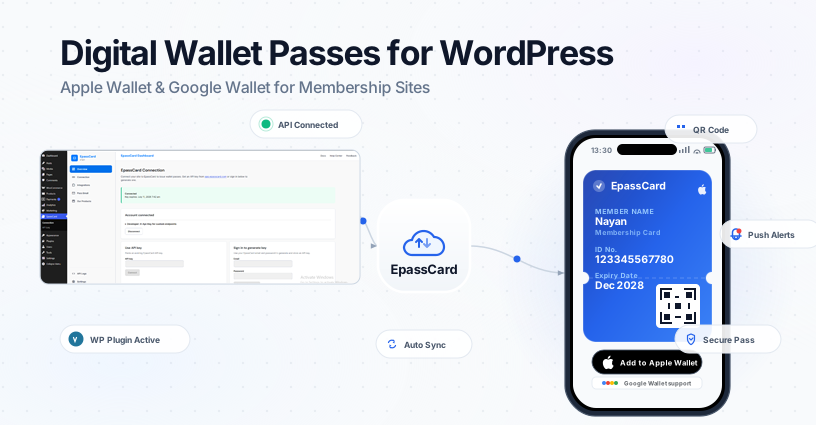
Most membership site owners I talk to have heard of Apple Wallet. Fewer know what a digital wallet pass actually is—or how it differs from a PDF attachment in a welcome email.
This guide covers the basics: what wallet passes are, how they work on iPhone and Android, and what it takes to issue them from a WordPress site without hiring a developer for six weeks.
What is a Digital Wallet Pass?
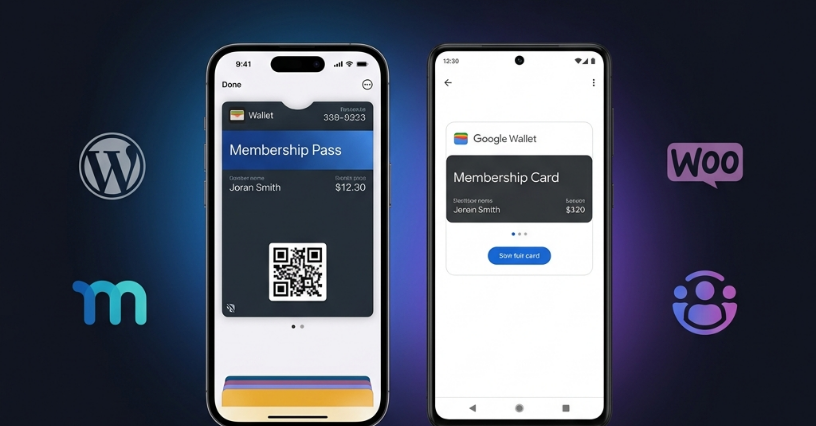
A digital wallet pass is a card stored in Apple Wallet (iPhone, iPad, Apple Watch) or Google Wallet (Android). It is not a mobile app your members download. They tap a link, hit “Add to Wallet,” and the pass sits on their lock screen.
Passes can represent:
- Membership cards
- Loyalty cards
- Event tickets and conference badges
- Coupons and gift cards
- Employee or student ID cards
- Subscription credentials
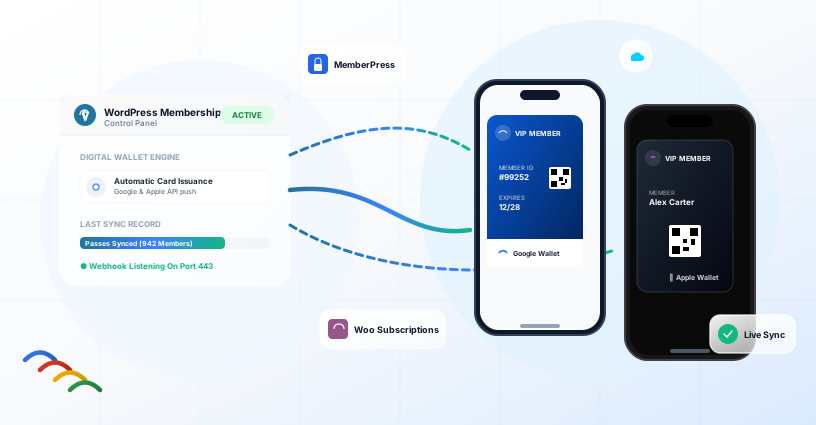
The pass updates remotely. Change a member’s expiry date in WordPress, and their phone reflects it—no re-emailing a new PDF.
That last part matters more than people expect. A static membership card PDF is dead the moment someone’s plan renews or their name changes.
Apple Wallet vs Google Wallet (Quick Comparison)
| Feature | Apple Wallet | Google Wallet |
|---|---|---|
| File format | .pkpass | Google Wallet Objects API |
| Devices | iPhone, iPad, Apple Watch | Android phones and Wear OS |
| How members add it | Tap Add to Apple Wallet | Tap Add to Google Wallet |
| Updates | Push notification to pass | Sync via Google Wallet |
| QR / Barcode | Yes | Yes |
| Lock screen | Shows near relevant location/time | Shows based on pass type |
You do not pick one platform. Members use whatever phone they carry. A proper wallet pass solution issues both from the same template and member data.
Why WordPress Membership Sites Care About Wallet Passes
Run a MemberPress site for a professional association. A new member signs up. You email them a login link and maybe a PDF card. Three months later they show up at an annual meeting and cannot find either.
A membership wallet pass fixes a specific problem: the card is already on their phone. They pull it up like a boarding pass. Front desk scans the QR code. Done.
Same logic applies to:
- Gyms and clubs — members flash a digital card at the door
- Online courses — students keep a pass as proof of enrollment
- Subscription boxes — WooCommerce Subscriptions customers see renewal dates on the pass
- Local business associations — members feel like they joined something real
Wallet passes also send push notifications. Remind someone their membership expires in seven days, and the alert shows on their lock screen—not buried in the promotions tab.
How Wallet Passes Get Created (The Hard Way vs the WordPress Way)
The Hard Way
- Sign up for a pass platform (PassKit, Passcreator, etc.)
- Design your pass template
- Get API credentials
- Connect WordPress through Zapier, Make, or custom code
- Map fields in the automation tool
- Pay for the pass platform plus automation fees
- Debug when a webhook fails silently
This works at scale. Airlines and hotel chains do it. For a WordPress membership site with 200 members, it is a lot of moving parts.
The WordPress Way
- Create a pass template in EpassCard
- Install the EpassCard WordPress plugin
- Connect your account and enable MemberPress, WooCommerce Subscriptions, or Ultimate Membership Pro
- Map membership fields to pass fields
- Passes issue automatically on signup and renewal
No middleware. No Zapier recipe that breaks when MemberPress updates.
What is pkpass?
If you dig into Apple Wallet documentation, you will see pkpass everywhere. It is simply the file format Apple Wallet uses — a signed ZIP bundle containing JSON, images, and a manifest.
You do not need to hand-craft pkpass files. Pass platforms like EpassCard generate them from your template. The WordPress plugin sends member data; the platform returns a wallet-ready pass link.
Site owners rarely need to touch pkpass directly. Developers sometimes do — we cover that in What is pkpass?
Wallet Pass Management: What Happens After Issuance
Creating a pass is step one. Wallet pass management covers everything after:
| Task | Why it matters |
|---|---|
| Updates | Member renews → expiry date on pass changes |
| Distribution | Email link, member account page, manual resend |
| Revocation | Cancelled member should not keep a valid pass |
| Notifications | Expiry reminders, renewal nudges |
| Reporting | Which members have active passes |
EpassCard handles updates and distribution through the WordPress plugin. When mapped membership data changes, the pass syncs via API. Admins can search issued passes, resend links, or trigger manual updates.
Do You Need a Mobile App?
No. That is the whole point.
Members add passes through a link — the same flow as adding a boarding pass from an airline email. Your site stays WordPress. Their card lives in the wallet app already on their phone.
If you have a native app, wallet passes complement it. Most membership sites do not need one.
Getting Started on WordPress
What You Need
- WordPress 6.5+ with PHP 8.1+
- A membership or subscription plugin (MemberPress, Ultimate Membership Pro, or WooCommerce Subscriptions)
- An EpassCard account (free to start)
- A pass template designed in EpassCard
Setup Time
Most sites are issuing passes within an hour if the template is ready.
Related Guides
- MemberPress + Apple Wallet Integration
- WooCommerce Subscriptions Wallet Pass
- PassKit Alternative for WordPress
Frequently Asked Questions
What is the Difference Between a Digital Wallet Pass and a Mobile App?
A wallet pass lives inside Apple Wallet or Google Wallet — apps already on the phone. Members tap a link to add it. No App Store download, no login to a separate app.
Can I Issue Both Apple Wallet and Google Wallet Passes from WordPress?
Yes. EpassCard creates passes for both platforms from one template mapping. Members choose the button that matches their device.
Do Wallet Passes Work Without Internet at Check-In?
The pass itself is stored on the device. QR codes and barcodes scan offline. Pass updates require internet connectivity.
Is a PDF Membership Card Good Enough?
For some sites, yes. PDFs do not update automatically, do not send push notifications, and get lost in email. Wallet passes solve those three problems.
How Much Does Wallet Pass Software Cost?
Pricing varies by platform. EpassCard uses a SaaS model. Check app.epasscard.com for current plans. The WordPress plugin is free.
Ready to Issue Passes?
Start issuing digital membership cards that work with Apple Wallet and Google Wallet directly from your WordPress website.
- Start free at: app.epasscard.com
- Install the WordPress plugin: wordpress.org/plugins/epasscard/
Make membership cards easier to distribute, easier to update, and easier for your members to carry—without building a mobile app.