I have seen the same pattern on dozens of membership sites. Someone signs up. They get a welcome email with a login link. Maybe a PDF membership card attached. Three months later they cannot find either.
A digital membership card stored in Apple Wallet or Google Wallet solves a boring but expensive problem: members who forget they are members.
This post is about why WordPress membership sites are moving from PDF cards to wallet passes — and what it takes to make the switch.
What counts as a digital membership card?
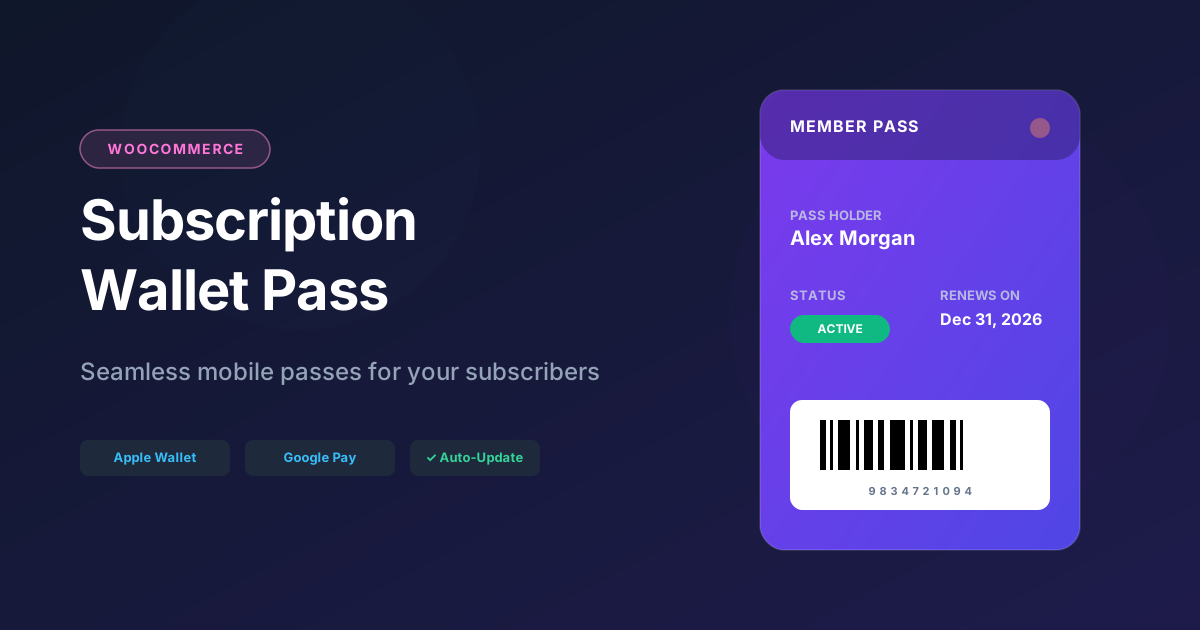
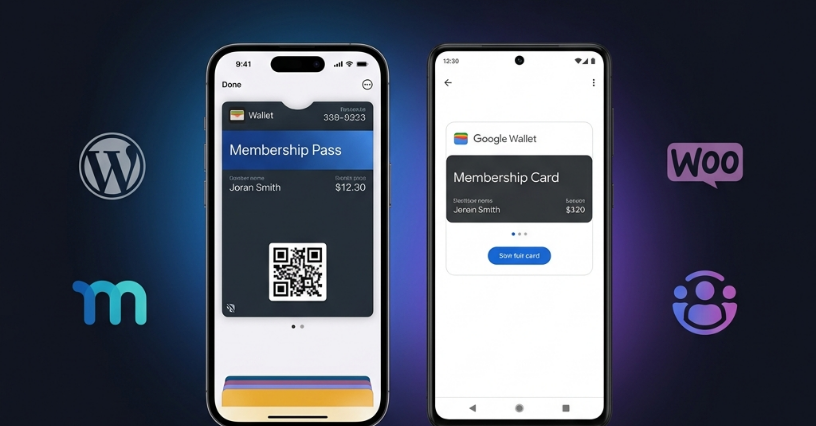
A digital membership card is a pass on the member’s phone that shows:
- Their name
- Membership level or organization
- Member ID or account number
- Expiration or renewal date
- A QR code or barcode for check-in
It lives in Apple Wallet or Google Wallet — not in a photo gallery, not in a downloads folder, not buried in email.
When membership data changes in WordPress, the card updates. When expiry approaches, the member can get a reminder on their lock screen.
That is the difference between a digital card and a PDF.
PDF membership cards vs wallet passes
| PDF card | Digital membership card (wallet) | |
|---|---|---|
| Delivery | Email attachment | Link to add to wallet |
| Updates when plan changes | Manual re-send | Automatic sync |
| Expiry reminders | Email (if you remember) | Push notification on lock screen |
| Check-in at door | Show PDF or print it | Scan QR from phone screen |
| Gets lost | Constantly | Rarely — lives on lock screen |
| Android + iPhone | Same PDF | Native wallet on each platform |
| Feels like a real membership | Weak | Strong |
PDFs are fine for a one-time certificate. They are a poor fit for recurring memberships where status changes.
Who uses digital membership cards?
Professional associations
Members attend events, claim continuing education credits, and need proof of active status. As a result, a wallet card they actually carry beats a login they forget.
Gyms and fitness clubs
At the front desk, staff simply scan a QR code. That means there’s no fumbling for a plastic card that went through the wash. Additionally, membership freezes or cancellations automatically update the pass.
Online course communities
MemberPress-powered course sites issue a wallet pass as a tangible perk. As a result, students feel enrolled in something beyond a dashboard login.
Local business networks
Chambers of commerce, BNI-style groups, and co-working spaces can all benefit from digital membership cards. Members simply flash their digital card at partner businesses to receive discounts.
Subscription businesses
WooCommerce Subscriptions customers receive a pass showing their active subscription and renewal date. This works especially well for box subscriptions, SaaS products with physical perks, and premium support tiers.
How digital membership cards connect to WordPress
WordPress does not create wallet passes natively. Instead, you need two pieces:
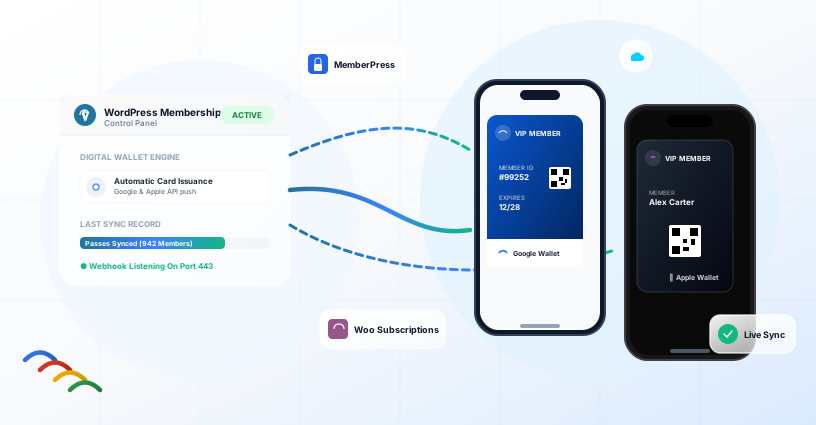
A pass platform (EpassCard) — designs the card, signs pkpass files, talks to the Google Wallet API, and hosts pass URLs.
A WordPress plugin — listens for membership events and sends member data to the platform.
Supported membership plugins include:
MemberPress
WooCommerce Subscriptions
Ultimate Membership Pro
When a member signs up or renews, the plugin automatically creates or updates their pass. As a result, there is no manual step.
Setting up digital membership cards (overview)
Step 1: Design your card in EpassCard — logo, colors, and fields.
Step 2: Install the EpassCard WordPress plugin.
Step 3: Connect your account and enable your membership plugin module.
Step 4: Map membership fields (name, plan, expiry, and QR value) to pass template fields.
Step 5: Finally, test a signup and confirm the pass appears in Apple Wallet and Google Wallet.
Full walkthrough: How to add a membership card to Apple Wallet
Membership card software: what to look for
If you are comparing membership card software or pass platforms, check for these features when choosing a solution for WordPress:
| Requirement | Why |
|---|---|
| WordPress plugin | Avoid Zapier glue for core membership events |
| Auto-issue on signup | Manual pass creation does not scale |
| Pass updates | Renewals and plan changes must sync |
| Apple + Google Wallet | Cover both phone platforms |
| QR / barcode support | Check-in at events or front desk |
| Push notifications | Expiry and renewal reminders |
| Per-plan templates | Different card designs per membership tier |
EpassCard checks all of these boxes for MemberPress, Ultimate Membership Pro, and WooCommerce Subscriptions. However, other platforms like PassKit are strong for enterprise use but typically require Zapier for WordPress.
Comparison: PassKit alternative for WordPress
Different card designs per membership tier
A “Basic” member and a “VIP” member should not look identical.
Instead, map each MemberPress membership product (or WooCommerce subscription product) to a different EpassCard template. Gold members get a gold card, while student members get a simplified layout.
This happens in the mapping screen — one product, one template, and one set of field mappings.
Digital membership cards at events
Many associations run conferences, and members expect their card to work as an event badge.
If your pass template includes a QR code mapped to a unique member ID, the same membership card doubles as an attendee credential. As a result, attendees can simply scan their pass at registration without the need for separate badge printing.
For dedicated event ticket passes, create an event-specific template in EpassCard. The WordPress plugin then issues whichever template you map.
What about plastic cards?
Some organizations still mail physical cards. However, digital and physical cards can coexist — the wallet pass is the always-available backup that members actually use day to day.
While plastic cards still make sense for gift memberships, wallet passes make sense for everyone with a smartphone.
Frequently asked questions
Can I migrate existing members to digital cards?
Yes. Simply use the admin Issued Passes table to create passes for members who joined before you enabled EpassCard. Then send them the wallet link by email.
Do members need to install an app?
No. Apple Wallet and Google Wallet are pre-installed on most phones. Members simply tap a link to add the card.
What data is sent to EpassCard?
Only the fields you map are sent to EpassCard — typically the member’s name, email, membership plan, expiry date, and an ID for QR codes. You control the mapping in wp-admin.
Is a digital membership card the same as a loyalty card?
Not exactly. Although they use similar technology, they serve different purposes. Membership cards prove active membership status, whereas loyalty cards track points and rewards. EpassCard templates support both, so you can choose the layout that best fits your organization.
How much does membership card software cost?
EpassCard uses SaaS pricing — see https://app.epasscard.com for current plans. Meanwhile, the WordPress plugin is available free on WordPress.org.
Stop emailing PDFs. Start issuing wallet passes.
Create your digital membership cards:
https://app.epasscard.com
Or install the free WordPress plugin:
https://wordpress.org/plugins/epasscard/