

How Can Push Notification Marketing Drive Post-Halloween Visits?
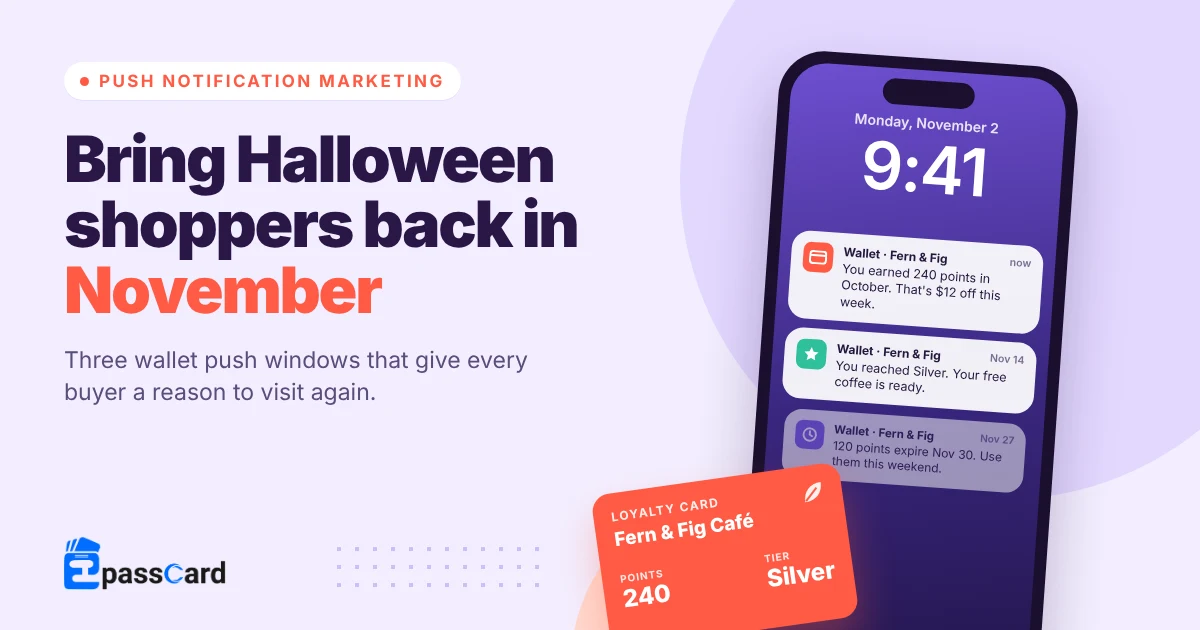
Push notification marketing drives post-Halloween visits by giving each shopper a personal reason to come back in November. That reason is points to spend, a new reward or a deadline. Wallet push works well here. It lands on the lock screen from a card already saved in Apple Wallet or Google Wallet, with no app to download.
Key takeaways
- Halloween brings in shoppers with one task. NRF expects $13.5 billion in Halloween spending in 2026, close to last year’s record.
- A push can’t invent a reason to return. It reminds people of value they already hold.
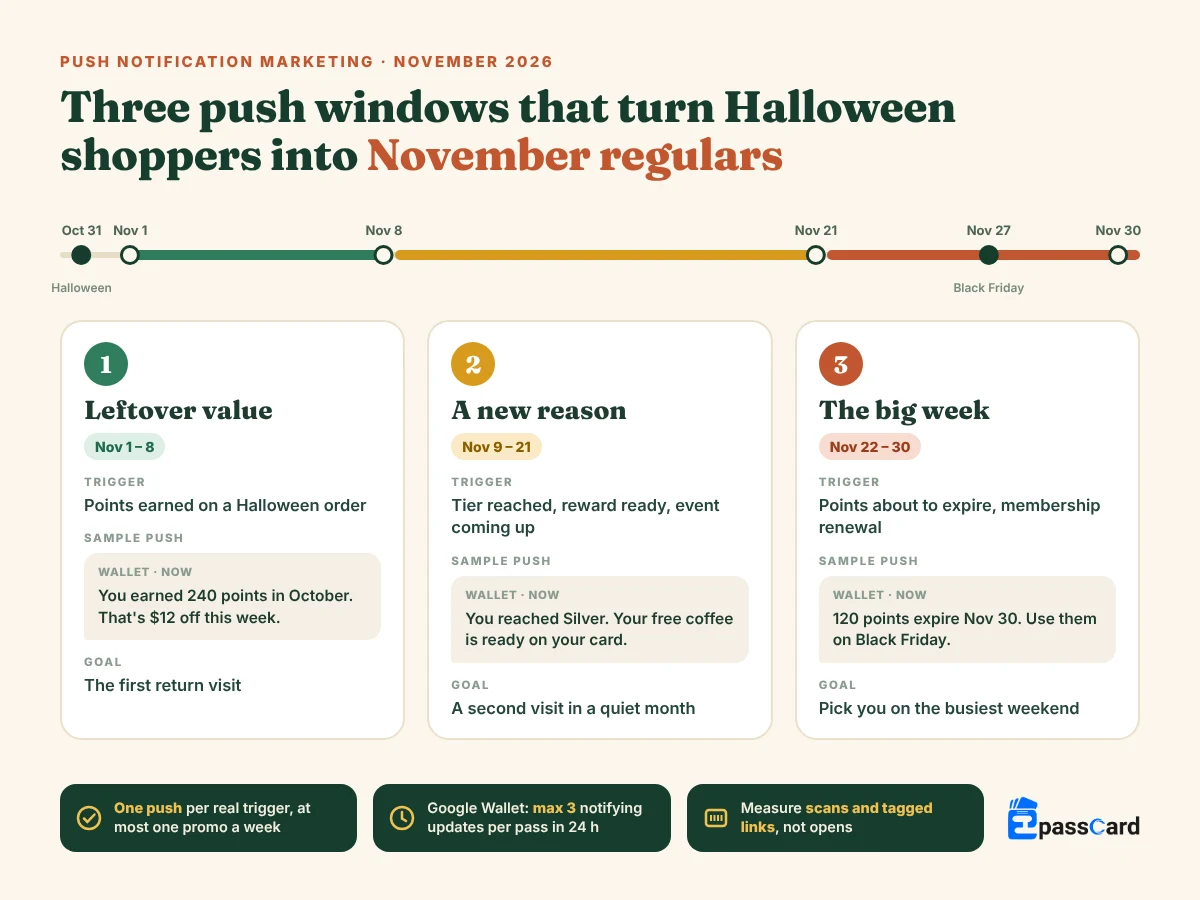
- Plan three November windows: leftover value (Nov 1–8), a new reason (Nov 9–21) and the big week (Nov 22–30).
- Send fewer, triggered messages. Google Wallet allows 3 notifying messages and 3 notifying field updates per pass in 24 hours.
- Count visits, not opens: a pass scan at the counter or a tagged link online.
What is push notification marketing?
Push notification marketing is sending short messages that show up on a customer’s lock screen or browser, outside your website. People choose to receive them, so you reach shoppers who already know you.
There are four common channels. They differ in what the customer must do first.
| Channel | What the customer needs | Best use after Halloween |
|---|---|---|
| App push | Your app installed, notifications on | Stores with an app people open weekly |
| Web push | A “yes” to your browser prompt | Online-only flash offers |
| Wallet push | Your pass saved in Apple Wallet or Google Wallet | Points, rewards and reminders tied to a visit |
| SMS | A phone number and SMS consent | Short, urgent notes (you pay per message) |
Most small stores don’t have an app, and web push needs a browser opt-in that many shoppers decline. Wallet push is the easiest channel to start with. A customer adds your loyalty card in one tap, and the card itself carries the news.
Push vs email vs SMS: which one carries the offer?
Use each channel for the job it does best. Email has room for a full offer, photos and terms, and people can read it later. SMS reaches almost any phone, but you pay per message and need clear consent.
Push is the nudge. It’s short, it lands on the lock screen, and it points to something the customer already has. A simple November setup works for most stores. Send the offer by email, and let the wallet push remind people when points or a reward are ready.
Why do Halloween shoppers stop coming back?
Most Halloween shoppers came for one thing, like a costume, candy or décor. After October 31 that reason is gone. Nothing tells them to return.
The numbers show how big that one-off crowd is. In NRF’s 2026 Halloween survey of 7,889 consumers, spending is expected to reach $13.5 billion, or $115.14 per person. That’s close to last year’s record of $13.1 billion.
Shoppers plan to buy at discount stores (39%), specialty Halloween or costume stores (32%) and online (27%).
If a Halloween shopper picked your store, November decides whether they become a customer. A push can’t create a reason to come back. It can remind people of one they already have. Think points from that Halloween order, a reward almost earned, or a class they booked.
Which push notifications bring people back after Halloween?
The pushes that work after Halloween are triggered by something the customer did. Spread them across three windows between November 1 and Black Friday week. They only reach people who saved your pass and kept notifications on.
| Window (2026) | What triggers the push | Sample message |
|---|---|---|
| Nov 1–8: leftover value | Points earned on a Halloween order | “You earned 240 points in October. That’s $12 off, any visit this week.” |
| Nov 9–21: a new reason | A tier reached, a reward earned or an event coming up | “You reached Silver. Your free coffee is ready on your card.” |
| Nov 22–30: the big week | Points about to expire, or a membership renewal | “120 points expire Nov 30. Use them on Black Friday or Small Business Saturday.” |
Samples assume 20 points = $1. Use your own program’s rate, and keep the numbers real.
Nov 1–8: remind them what they already earned
The first week after Halloween is about value already in their pocket. A points balance from an October order feels like money. A short “you have $12 to spend” lands better than any new offer.
Nov 9–21: give them a fresh reason
Mid-November sits between two busy moments. That makes it a good time for a reward that is now ready, or a reminder for an event they signed up for. One clear reason beats three small ones.
Nov 22–30: help them use it before the rush ends
Thanksgiving is November 26, Black Friday is November 27 and Small Business Saturday is November 28. An expiry reminder sent a few days ahead gives people a reason to choose you that weekend. It also clears points you would carry as a cost.
How do you write a push that earns a visit?
A push that earns a visit tells one person what they hold, why it matters now, and where to use it. Four parts are enough: who, value, deadline, place.
| Weak push | Strong push |
|---|---|
| “Don’t miss our November deals!” | “Ana, your 240 points = $12 off. Use them in store by Sunday.” |
| “New rewards are here.” | “Your free coffee is ready. Show this card at the counter.” |
| “Black Friday is coming!” | “120 points expire Nov 30. Spend them on Black Friday.” |
Wallet push has one twist: the wallet app has a say in the wording. For field changes like points or tier, Google Wallet writes the lock-screen text itself. So make the pass itself clear. Label fields plainly, such as “Points” or “Reward”, not a clever seasonal name nobody understands.
On iPhone, a push tells Wallet to fetch the new version of the pass, and the alert comes from the pass’s own change text. Apple’s pass update docs explain the flow. Keep the front of the card clear, because that’s what people see when they tap.
How many push notifications is too many?
Send one push per real event, and no more than one promotional message a week in November across all channels. That’s our rule of thumb, not a platform rule. The platforms have hard limits of their own.
Google Wallet allows 3 notifying messages and 3 notifying field updates per pass in 24 hours. Go over the message limit and Google returns an error. It may also throttle passes it sees as spam.
Customers can switch off notifications for a pass, or remove it from their wallet. That matters most. A wallet card is a spot on someone’s phone you earned, and one noisy week can cost you that spot for good.
Customers only get wallet pushes if they added your pass and kept notifications on. Consent and privacy rules still apply to the data behind each message. That includes GDPR in Europe and state privacy laws in the US.
How do you measure post-Halloween visits?
Measure visits and orders, not opens. An open tells you the message was seen. A scan or an order tells you it worked.
| What to track | How to track it |
|---|---|
| In-store visits | Scan the pass barcode at checkout, then count scans per week |
| Online visits | Add a UTM-tagged link to the pass or message |
| Repeat rate | Share of October buyers who order again by November 30 |
| Year-on-year change | Compare that repeat rate with November 2025, if you have it |
Pick one number before November 1 and write down where it stands today. Without a starting point you can’t tell a good month from a lucky one. For the bigger picture, see how to turn holiday shoppers into repeat customers.
How to send wallet push notifications from WordPress
EpassCard turns your WordPress data into Apple Wallet and Google Wallet passes, and sends wallet pushes when that data changes. You don’t need an app or your own Apple Developer account, because EpassCard signs and delivers the passes.
The pushes are automatic. They fire when something happens in your store, so each one has a real reason behind it.
| If you run | Pushes EpassCard can send |
|---|---|
| WooCommerce Loyalty (built into EpassCard) | Points earned, points expiring, tier reached, reward available |
| MemberPress, Paid Memberships Pro, Simple Membership, Ultimate Membership Pro, WooCommerce Subscriptions | Renewal and expiry reminders |
| The Events Calendar | A reminder before the event starts |
To set it up before October 31:
- Install EpassCard from WordPress.org and connect your free EpassCard account.
- Turn on the module for what you run, such as WooCommerce Loyalty or your membership plugin.
- Design the pass and map your data onto it, such as points, tier or event date.
- Turn on notifications. For each event, choose email, wallet push or both.
- Test on your own phone with Apple Wallet and Google Wallet before customers see it.
Doing this before Halloween matters. Orders from customers with an account can earn points on October 30, and the pass is ready for the November 1 push.
What it costs: the plugin is free, and the free EpassCard plan includes 50 live passes. Paid plans start at $19 a month for 250 live passes. Live passes are a running total, not a monthly allowance. Prices as of October 2026; see the EpassCard pricing page for current plans.
FAQ
Do customers need an app to get wallet push notifications?
No. Apple Wallet comes with every iPhone, and Google Wallet is available on most Android phones. Customers save your pass once, usually from a link or the email you send. Updates and pushes then arrive through the wallet app, as long as notifications for the pass stay on.
How many push notifications should I send in November?
Send one for each real trigger, like points earned or a reward ready. Keep promotional messages to one a week across all channels. Google Wallet allows 3 notifying messages and 3 field-update alerts per pass in 24 hours. Fewer, useful pushes keep your card on the phone through December.
Is wallet push better than email for bringing customers back?
They do different jobs. Email has room for a full offer and images. A wallet push is short and lands on the lock screen, attached to a card the customer already uses. A good split is the offer by email and the reminder by wallet push.
When should I set up post-Halloween push campaigns?
Set them up before October 31. Then Halloween orders earn points, buyers save the pass, and your first November push has a balance to talk about. Starting on November 1 means your best week has nothing to remind people of.
Can I send push notifications from WordPress without coding?
Yes. A plugin can handle the pass, the update and the push for you. With EpassCard, you map WooCommerce, membership or event data onto a pass template, then turn on the notifications you want. No app, code or Apple Developer account is needed.
Get your passes ready before October 31
Your Halloween shoppers will check their phones in November. Make sure your card is there, with something worth coming back for.
Install EpassCard free from WordPress.org and send your first post-Halloween push on November 1.