

EpassCard 1.1.0: One-Click Wallet Pass Designs
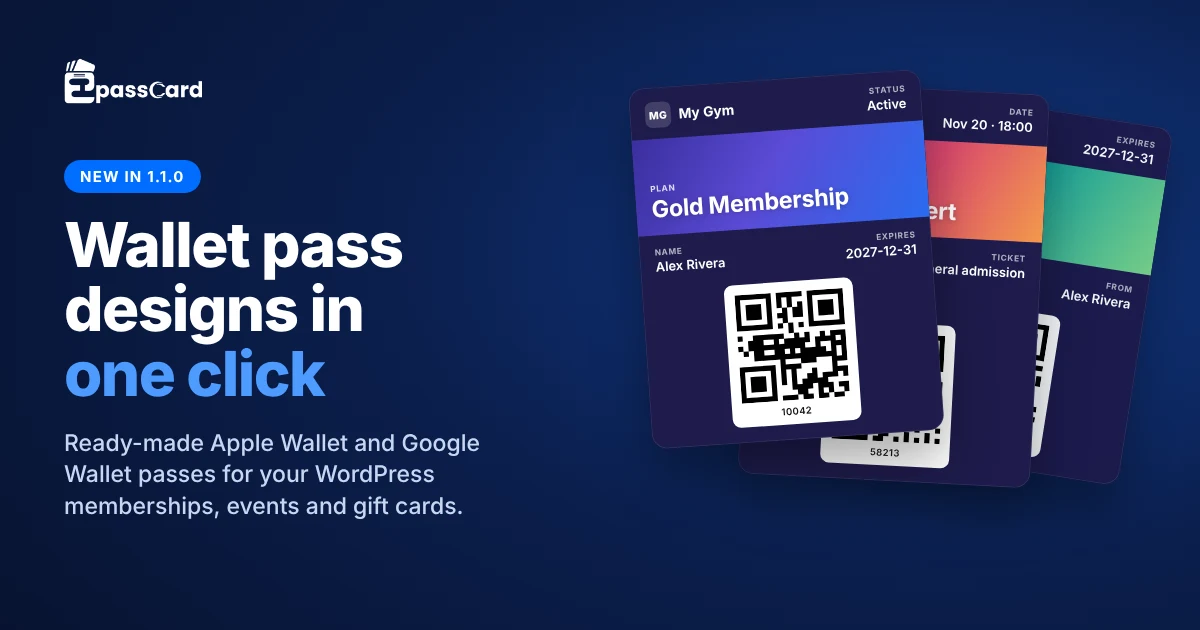
EpassCard 1.1.0 takes you from “plugin installed” to “members have a wallet pass” without needing to design a template first. A single button now creates an automated, ready-made pass template for Apple Wallet and Google Wallet and maps it straight to your existing WordPress membership plans, event tickets, or gift cards. You can customize your brand logo, strip image, colors, and labels at any time.
Until now, the first step after connecting EpassCard was often the most time-consuming. You had to design a custom pass template in the cloud app, switch back to WordPress, and manually map every field to membership or order data. With version 1.1.0, that entire workflow happens in a single click.
What Does “Create Pass Design for Me” Do?
It creates a complete pass template in your EpassCard account and maps it for you. Open any supported integration page under EpassCard in your WordPress admin. If some plans, events or gift card products have no pass yet, a card at the top says No pass template yet? Create one in one click.
- Click Create pass design for me.
- EpassCard creates a template named after your site and the integration, for example “My Gym – Paid Memberships Pro“.
- The plugin maps every pass field to the right WordPress data. There is no mapping screen to fill in.
- The design is applied to every plan, event or product that is not mapped yet.
Added a new membership level or event later? The card then shows Use it for the unmapped items, which applies the same design to the new ones. Prefer the mapping window? Next to Create a new template there is now a Create a pass design for me link.
Which Integrations Get a Ready-Made Design?
Nine integrations get one: every supported integration except WooCommerce Loyalty, which already has its own Pass Design screen. Each design has a QR code, a starter logo and strip image, and a dark indigo card with white text by default.
| Pass type | Integrations | Front of the pass | QR code |
|---|---|---|---|
| Membership card | Paid Memberships Pro, MemberPress, Simple Membership, Ultimate Membership Pro, WooCommerce Subscriptions | Status, plan, member name, expiry (“Next payment” for subscriptions) | Member or subscription ID |
| Event ticket | The Events Calendar, Events Manager | Date, event, attendee, ticket type or spaces, venue | Ticket or booking number |
| Gift card | PW WooCommerce Gift Cards, YITH WooCommerce Gift Cards | Expiry, balance, to, from | Gift card code |
The back of each pass carries the extra details, such as email and member ID, or the venue address and organizer. The pass updates itself when the data changes, like any template you design yourself.
Can I Use My Own Logo and Colors?
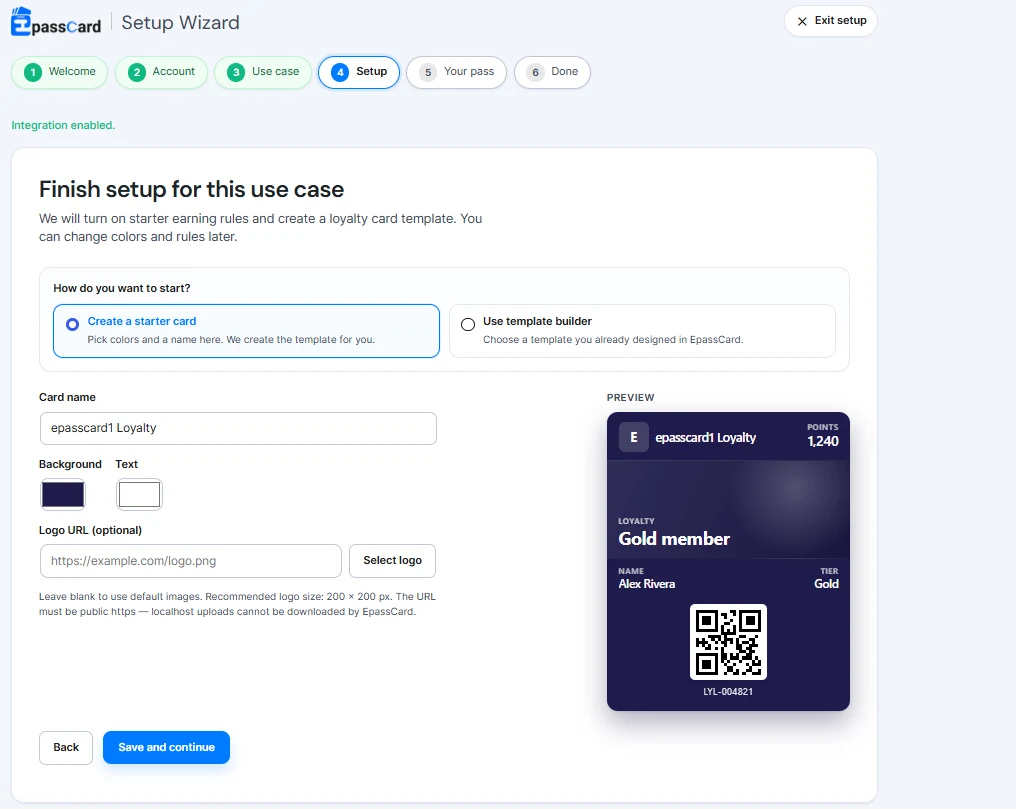
Yes. Click Customize design first before creating it, or Edit design any time after. A designer opens with a live preview of the front and back:
- Logo and strip image from your Media Library or a URL.
- Background, value and label colors, with a warning if text would be hard to read.
- Every field label on the front and back. “Plan” can become “Membership”.
- Template and organization name shown in the wallet.
- Code format: QR, PDF417, Aztec or Code 128.
Click Save design and EpassCard updates the template right away. Your mappings stay as they are. On a local or staging site that EpassCard can’t reach, Media Library images are sent along with the design, so your logo still shows on the pass.
Will It Change My Existing Setup?
No. Plans, events and products that already have a template keep it; the design only goes to items with no mapping.
- One template per integration. A double click, a second tab or a retry won’t create duplicates.
- Fits the Free plan. The design uses one template slot. The Free plan includes 3 templates and 50 live passes.
- Plain-word errors. If EpassCard can’t create the template, for example because your plan’s template limit is reached, the message appears under the button.
What’s New in EpassCard 1.1.0?
- Security hardening. Every query on EpassCard’s own database tables now uses prepared table-name placeholders. Input in the setup wizard, pass actions and manual points adjustment is sanitized more strictly. The plugin passes WordPress Plugin Check with no errors.
- Fixes. Primary buttons inside EpassCard screens were grey; they are blue again. Empty logo and strip previews on the WooCommerce Loyalty Pass Design screen no longer show broken images.
- For developers. New filters
epc_starter_template_preset(change or disable a design per integration) andepc_starter_template_payload(change what is sent, now including the chosen design), plus the actionepc_starter_template_updated.
add_filter( 'epc_starter_template_payload', function ( $payload ) {
	$payload['colors']['background'] = '#0F766E';
	return $payload;
} );
Get EpassCard 1.1.0
Update from Dashboard → Updates or Plugins in your WordPress admin. New to EpassCard? Install it from WordPress.org, connect a free account, and click Create pass design for me.
See every change in the changelog on WordPress.org. Questions? Read the documentation or book a demo.
Stay up to date with practical WooCommerce tips, product updates, and upcoming offers by subscribing to our newsletter. You can also join our community or follow Epasscard on Facebook and LinkedIn for more eCommerce insights.
Frequently Asked Questions
Do I need an Apple Developer account?
No. EpassCard signs and delivers the passes for you.
Does the ready-made design count toward my plan?
Yes, it uses one of your templates. The Free plan includes 3 templates and 50 live passes; paid plans start at $19 a month.
Is the update safe for existing sites?
Yes. Your connection, mappings and passes are kept, and there are no database changes.
What does 1.1.0 require?
WordPress 6.5 or later and PHP 8.1 or later.