Apple Wallet gets most of the attention in membership site forums. But roughly half your members probably carry Android phones. If you only issue Apple passes, they get a worse experience — or no card at all.
Google Wallet integration on WordPress does not have to be a separate project. Done right, you set up once and members on both platforms get a pass from the same membership event.
What Google Wallet Passes Look Like for Members
A member finishes signup on your MemberPress site. They receive an email or account page link with two buttons:
- Add to Apple Wallet (iPhone)
- Add to Google Wallet (Android)
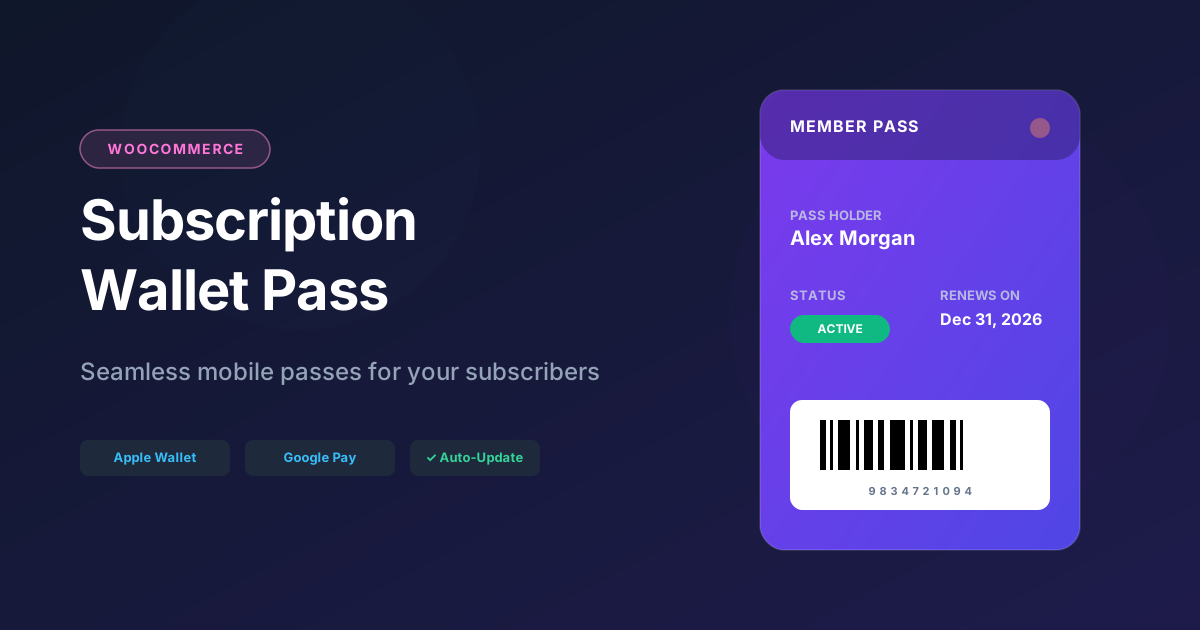
They tap the one that matches their phone. The membership card appears in Google Wallet — name, plan, expiry date, QR code for check-in.
When their membership renews in WordPress, the pass updates. When expiry approaches, they can get a push notification on their Android lock screen.
Same experience as Apple. Different API under the hood.
Google Wallet vs Apple Wallet for Site Owners
| Feature | Apple Wallet | Google Wallet |
|---|---|---|
| Backend format | .pkpass (signed ZIP) | Google Wallet Objects API |
| Developer setup | Apple Pass Type ID certificate | Google Cloud issuer account |
| Member action | Tap “Add to Apple Wallet” | Tap “Add to Google Wallet” |
| Updates | APNS push to device | Google Wallet API |
| QR / barcode | Supported | Supported |
| WordPress plugin support | EpassCard ✅ | EpassCard ✅ |
You do not choose one. Issue both.
How Google Wallet Integration Works with WordPress
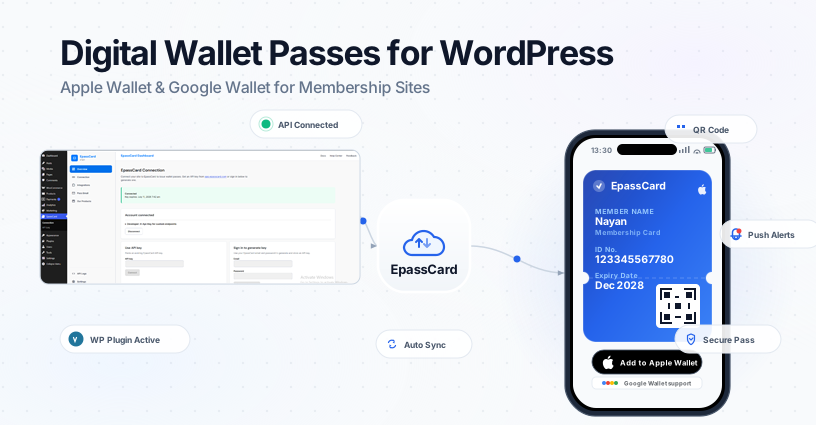
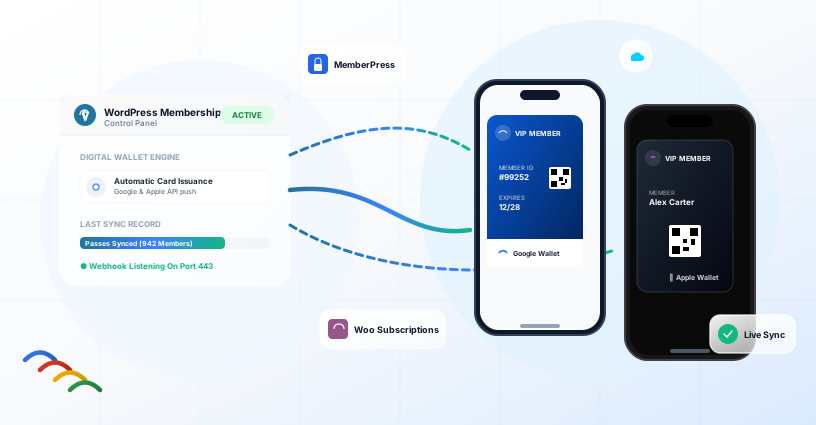
EpassCard handles the Google Wallet API, certificate management, and pass hosting. The WordPress plugin handles membership events and field mapping.
The Flow
- Member subscribes via MemberPress, WooCommerce Subscriptions, or Ultimate Membership Pro.
- WordPress plugin sends member data to EpassCard API.
- EpassCard creates passes for Apple Wallet and Google Wallet.
- Member gets links for both platforms.
- When membership data changes, the plugin triggers a pass update.
No Google Cloud project on your end. No JWT signing in your theme’s functions.php.
Setup Steps (Google Wallet + Apple Wallet Together)
Step 1: Create Your Pass Template
In app.epasscard.com, design a membership card template. Include fields for name, plan, expiry, and a QR code. EpassCard generates both Apple and Google versions from this design.
Step 2: Install the WordPress Plugin
Get EpassCard from WordPress.org. Connect your account under:
EpassCard → Connection
Step 3: Enable Your Membership Module
Turn on MemberPress, WooCommerce Subscriptions, or Ultimate Membership Pro — whichever you use.
Step 4: Map Fields
Under the integration settings, map membership fields to pass template fields.
Example for MemberPress:
- Full name → Member Name
- Membership title → Plan
- Expiration date → Expires
- User ID → QR code value
Step 5: Test on a Real Android Device
Sign up a test member.
Open the Google Wallet link on an Android phone.
Confirm the card displays correctly and the QR code scans.
Also test on iPhone to confirm the Apple Wallet link works from the same mapping.
Google Wallet Pass Types for Membership Sites
Google Wallet supports several pass categories.
For WordPress membership sites, the most relevant are:
| Pass Type | Use Case |
|---|---|
| Generic pass | General membership cards, association IDs |
| Loyalty card | Points-based or tiered membership programs |
| Offer | Coupons and promotional passes |
| Event ticket | Conference badges, workshop admission |
| Gift card | Prepaid membership credits |
Your EpassCard template determines the pass type.
The WordPress plugin supplies the member-specific data.
Google Wallet QR Codes and Check-In
For gyms, associations, and events, the QR code on the pass is the main check-in mechanism.
Map a unique identifier — MemberPress user ID, subscription ID, or a custom field — to the barcode/QR field in your template.
Train front desk staff to scan from Google Wallet the same way they would from Apple Wallet.
Test with your actual scanner.
Some older barcode readers handle QR from phone screens poorly.
Better to find out before launch day.
Google Wallet Push Notifications
Google Wallet passes support notifications for updates and reminders.
Configure reminder rules in the EpassCard WordPress plugin:
- Subscription expiring soon
- Renewal due
- Trial ending
- Card expiration
Members on Android see these on their lock screen — tied to the pass, not a generic app notification they might disable.
Common Google Wallet Integration Mistakes
Only Testing on iPhone
Always test the Google Wallet link on a physical Android device before launch.
Assuming Google Pay = Google Wallet
Google rebranded.
Members may say “Google Pay” when they mean the Wallet app.
The pass goes in Google Wallet.
Separate Templates for Each Platform
One EpassCard template covers both.
Do not maintain two designs unless you want different branding per platform.
Forgetting Existing Members
Members who joined before you enabled passes need manual issuance or a bulk process.
New signups are automatic.
Old members are not retroactive unless you create passes for them.
Google Wallet API: Do You Need Direct Access?
Most WordPress site owners do not.
Direct Google Wallet API integration makes sense if you are building a custom app or a pass platform.
For MemberPress and WooCommerce Subscriptions sites, the EpassCard API abstracts this — you map fields in WordPress, and the platform talks to Google.
Developers who want programmatic access can use epc_get_api_key() and the EpassCard API docs for custom workflows outside the standard modules.
Frequently Asked Questions
Does EpassCard Support Google Wallet and Apple Wallet from One Setup?
Yes.
One template, one field mapping, both platforms.
Members choose the link for their device.
Can WooCommerce Subscriptions Customers Get Google Wallet Passes?
Yes.
Enable the WooCommerce Subscriptions module and map subscription fields.
Passes issue on activation and renewal.
Is Google Wallet Available in All Countries?
Google Wallet pass support varies by region.
Check Google’s current country list.
Apple Wallet has its own regional availability.
How Is This Different from a PWA or Mobile App?
Google Wallet passes live inside the wallet app already on the phone.
No Play Store download.
No separate login.
What If a Member Switches from iPhone to Android?
They need to add the Google Wallet pass on their new device.
The old Apple Wallet pass stays on the old phone but should be revoked if the membership is transferred or cancelled.