
Membership cards in Apple Wallet and Google Wallet for Simple Membership and Ultimate Membership Pro
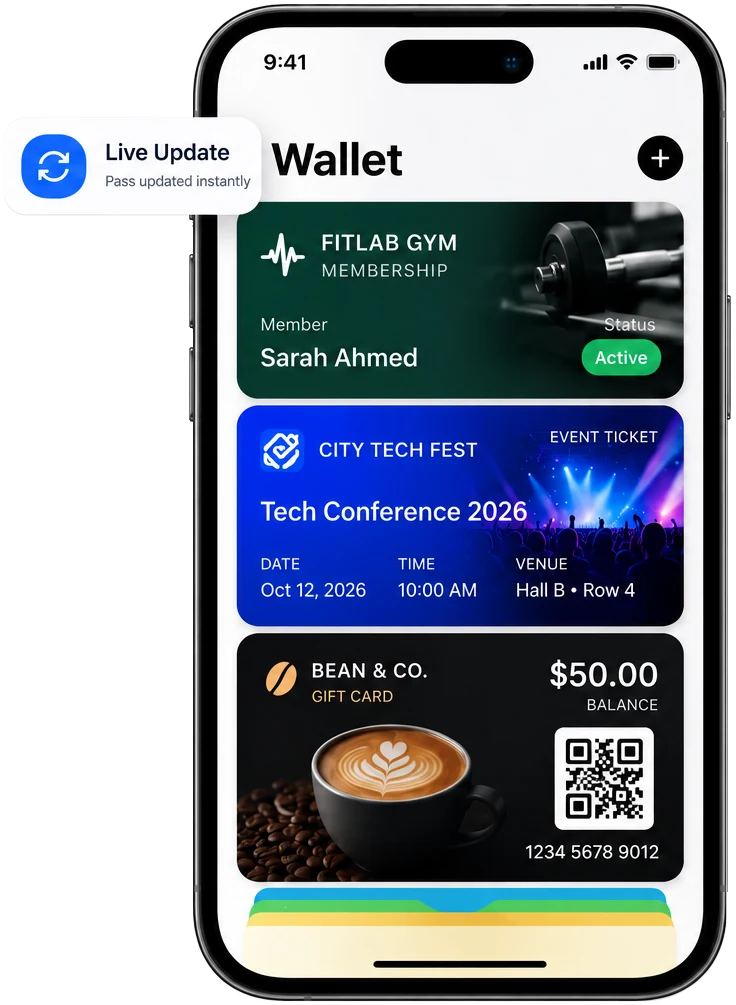
Your members carry a phone, not a plastic card. EpassCard connects your WordPress membership plugin to the phone wallet, so every member has a membership card that shows their current level and status.
Which membership plugins does it work with?
| Plugin | Card is created or updated when | Card status changes when |
|---|---|---|
| Simple Membership | A member registers, updates their profile, changes level or pays | A payment is cancelled, the membership expires, or the member is deleted |
| Ultimate Membership Pro | A payment completes, a subscription activates, a level is assigned or a user is approved | The subscription expires |
Using MemberPress, Paid Memberships Pro or WooCommerce Subscriptions? See MemberPress, Paid Memberships Pro and WooCommerce Subscriptions.
Live in three steps
Install the plugin
Install the free EpassCard plugin and connect your account.
Turn on the module
Turn on Simple Membership or Ultimate Membership Pro and pick a membership template.
Members get their card
Members add the card to Apple Wallet or Google Wallet.
What shows on the card?
| On the card | Comes from |
|---|---|
| Member name and email | The WordPress user |
| Membership level | The member’s level |
| Status | Active, cancelled or expired, by your rules |
| Start and expiry date | The membership dates |
| QR code | For check-in |
What you can do
- Set status rules for expired and cancelled members.
- Send push notifications to members’ phones, for example before renewal.
- In Ultimate Membership Pro, an EpassCard column in the member list shows each member’s pass.
How do I set it up?
- Install EpassCard from WordPress.org and connect your account.
- Turn on the Simple Membership or Ultimate Membership Pro module.
- Choose a membership template and map the fields (name, level, expiry).
- Set the status rules for expired and cancelled members, then save.
New to EpassCard? The Free plan includes 50 live passes and 3 templates. See pricing →
Questions
Is the integration free?
Yes. Both modules ship free in the EpassCard plugin.
What happens when a membership expires?
The card status changes by the rules you set, so it no longer shows as active.
Do members need an app?
No. The card opens in Apple Wallet or Google Wallet.
How much does it cost?
The plugin is free. The Free plan covers 50 live passes; paid plans start at $19 a month for 250. See pricing.
Give every member a card that’s always up to date.
The Free plan includes 50 live passes.
Start free →